
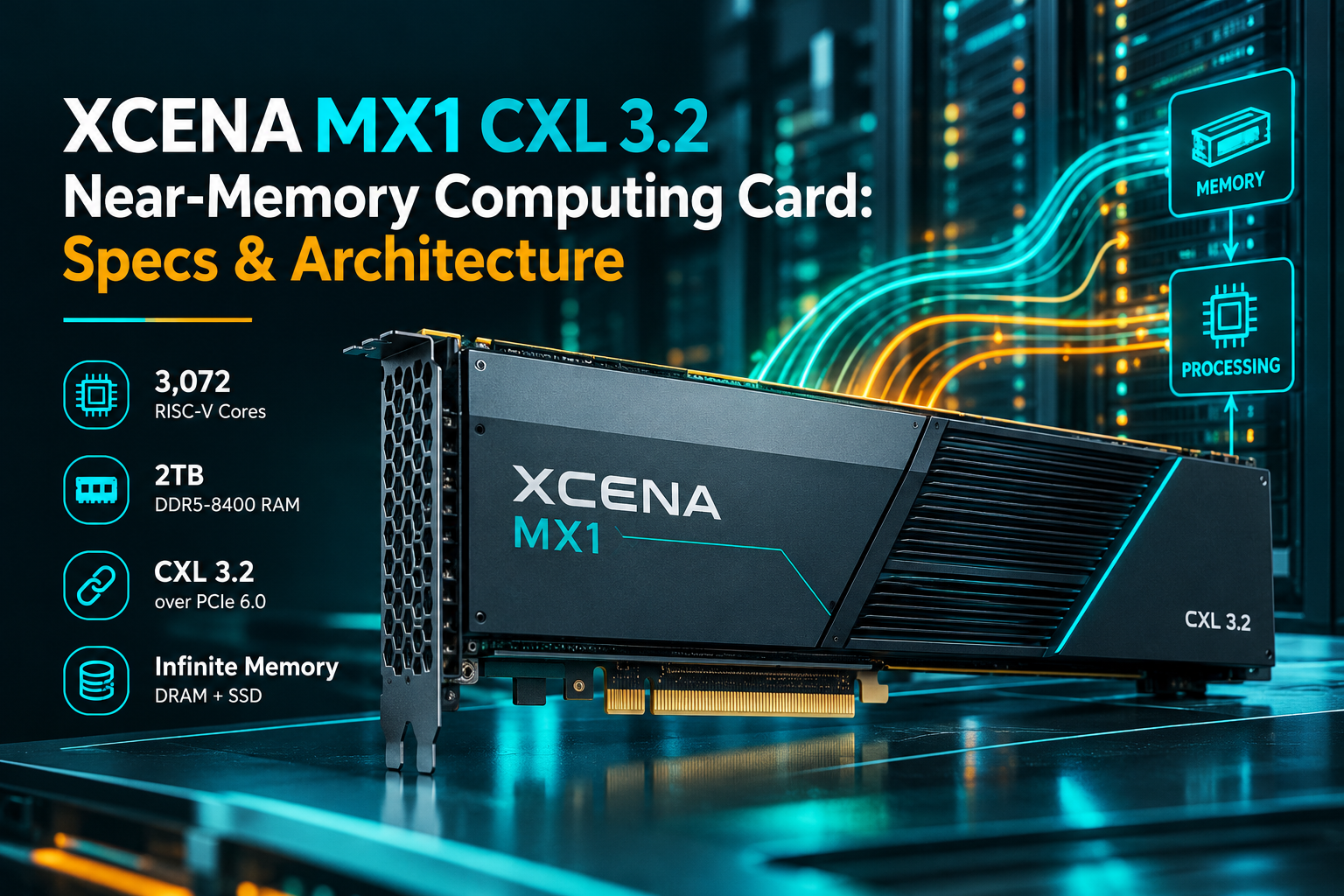
XCENA MX1 CXL 3.2 Near-Memory Computing Card: Specs & Architecture
What if a memory card could do more than just store files? What if it could actually crunch some of that data before passing it along to the main processor?
That’s the basic idea behind the XCENA MX1, a hardware module built for servers and data centers. It combines extra memory with thousands of tiny processing cores, letting specific jobs run right next to where the data is sitting.
The concept builds on the idea of near-memory computing. But the MX1 takes things a step further by packing memory expansion and built-in processing power into a single card.
So, what actually makes this hardware different, and where would anyone actually use it?
3,072 RISC-V Cores & 2TB DDR5-8400 RAM: Hardware Specifications
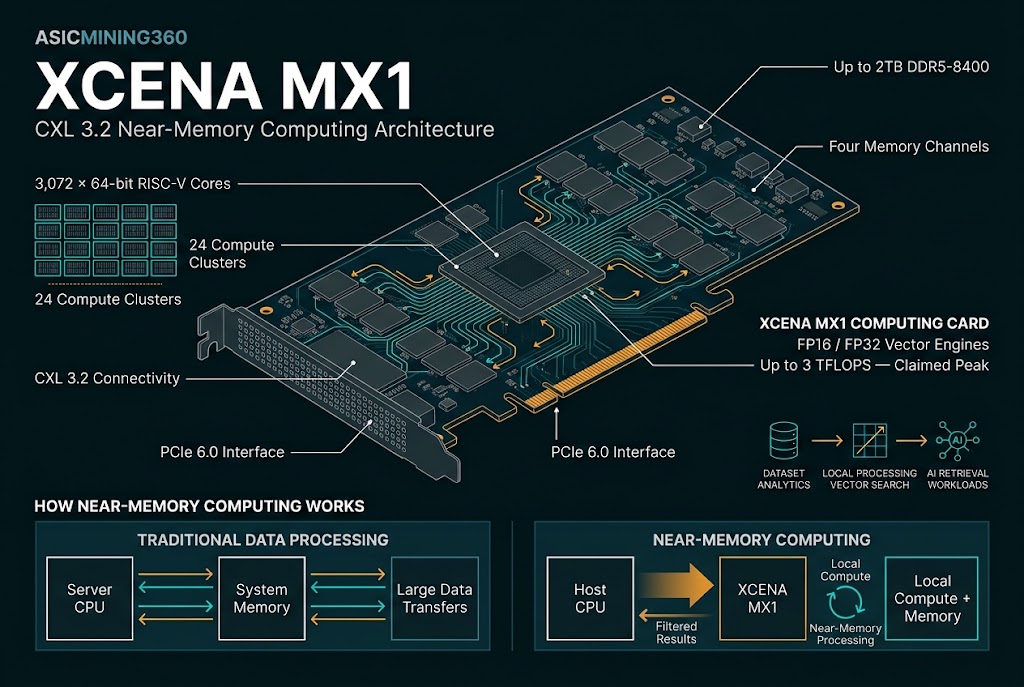
The numbers on this thing definitely catch your eye. The XCENA MX1 supports up to 2TB of DDR5-8400 memory across four channels, and it packs in 3,072 64-bit RISC-V cores.
To be clear, these aren't the big CPU cores you'd find inside a desktop Intel Core or AMD Ryzen chip. They are much smaller, stripped-down cores built to run specific tasks across big piles of data. The MX1 breaks them down into 24 separate clusters, with 128 cores in each.
Clock speeds sit around 1GHz, bumping up to 1.4GHz when pushed. It also includes FP16 and FP32 vector math engines, with XCENA claiming a peak performance of about 3 TFLOPS for dot-product tasks.
But the sheer core count isn't the real story here. What matters is where those cores are sitting.
In a standard server setup, the CPU or GPU has to fetch data from RAM before doing anything with it. With the MX1, simple tasks can run right where the data lives, cutting down on all that back-and-forth traffic across the motherboard.
Data-In-Place Analytics: Offloading Database & RAG Search Bottlenecks
Imagine a database with millions of records. You just want to find a handful of entries that match a couple of specific filters.
A traditional CPU can handle that search easily. But depending on how much data you're sifting through, shipping all those raw rows across system buses just to throw 99% of them away wastes serious time and power.
The MX1 tries to tackle that job closer to home. Instead of dumping everything on the main CPU, the card runs the filter locally and only sends back the results you actually care about.
This setup makes a lot of sense for database analytics, vector lookups, and other jobs that deal with huge datasets and messy, unpredictable memory access.
The same logic applies to certain AI jobs. For instance, scanning through a massive knowledge base for a Retrieval-Augmented Generation (RAG) system means shifting around a ton of data. Doing part of that work right inside the memory card takes a huge load off the primary processor.
Of course, this doesn't mean you can run everything on the MX1. Its cores are tuned for specific background tasks, not for replacing a general-purpose CPU.
CXL 3.2 over PCIe 6.0: Server Memory Expansion Without CPU Upgrades
The MX1 isn't just a processing card—it's also meant to add extra memory space to compatible servers.
It hooks into the system using Compute Express Link CXL 3.2 over PCIe 6.0, allowing the host CPU to access the card's onboard memory through standard memory interfaces.
That's a big deal because server RAM capacity usually hits a hard wall based on motherboard slots and platform limits. A CXL card gives you a way to slide in more memory without having to buy a whole new server.
The MX1 also packs its own PCIe controller to help tie its memory and processing power cleanly into the rest of the system.
That said, compatibility is a real factor here. You can't just plug a CXL card into a motherboard like a basic RAM stick and expect it to work. The server platform, CPU, firmware, and OS stack all have to support the standard.
Infinite Memory Tiering: Blending DRAM Cache with SSD Storage Pools
One of the weirder features XCENA built into this card is what they call Infinite Memory.
The basic trick is making cheap SSD storage look like regular RAM to the system, using actual DRAM as a fast cache for the stuff you read most often. It manages all this behind the scenes using 64KB memory pages and a hardware tracking table.
Why bother with this?
Because even 2TB of RAM isn't enough for some massive datasets. By blending DRAM with SSD storage, the card lets systems work with far bigger files without needing everything to fit directly into expensive RAM chips.
XCENA has even talked about scaling this setup to handle petabyte-level data.
There is a catch, though. SSDs are nowhere near as fast as DRAM. If your app constantly looks for data that isn't cached in the fast RAM, speed takes a hit. Infinite Memory lets you open bigger datasets, but it can't magically make SSDs perform like real memory.
Still, if you're dealing with absurd amounts of data, having that extra elbow room can be super helpful.
Efficiency Benchmarks: 4.7x Throughput & 18.7x Energy Savings Claims
XCENA has put out some pretty big numbers from their own internal testing.
For specific data-processing tasks, the company claims up to 4.7 times the throughput and 18.7 times better energy efficiency compared to a regular host CPU working over CXL.
When tested against a CPU using its own local RAM, they reported up to double the throughput and 6.2 times the efficiency.
They also highlighted massive gains in vector search for RAG workloads, reporting up to 64 times more requests per second when running multiple MX1 cards together.
Those numbers sound great, but you have to take them with a grain of salt. They come from specific, hand-picked workloads and test environments, not everyday data center operations. You also have to weigh those stats against actual power draw, software setup, and hardware costs.
The real test is whether the MX1 actually pulls off those kinds of gains in production, running real-world apps with messy, unpredictable traffic.
Accelerating LLM KV-Cache: LLaMA 3 70B Token Throughput Gains
Another area where this card might shine is running large language models, especially when dealing with super long prompts and contexts.
As context windows get bigger, the model's key-value (KV) cache eats up ridiculous amounts of memory. Keeping that cache running smoothly is a constant pain point, especially when multiple people are using the model at once.
The MX1 is built to take over some of those memory-heavy chores so your expensive GPUs don't have to waste time on them.
In one test setup shared by XCENA, two servers running five MX1 cards each alongside NVIDIA RTX 6000 Ada GPUs hit 17.7 tokens per second on an 8-bit LLaMA 3 70B model. The standard setup without the cards only managed 5.5 tokens per second.
That's a huge jump, but again, that's one specific lab hardware configuration. It doesn't mean every 70-billion-parameter model will see the exact same bump across every server setup.
Even so, it shows why hardware makers are paying so much attention to near-memory computing. Sometimes, fixing how data moves around matters just as much as throwing more GPU power at the problem.
SDK & Software Toolchain: PXL Runtime, LLVM Compiler & Developer Friction
There's still a massive hurdle standing in the way: software.
Engineers need easy-to-use tools to actually program these RISC-V cores and fit them into existing software stacks. XCENA provides an LLVM-based compiler, a custom runtime called PXL, and a software simulator for testing code before running it on real hardware.
These tools are critical. Data center managers aren't going to buy new hardware just because the specs look cool on paper. They need to know their existing software can actually use it without having to rewrite millions of lines of code from scratch.
If the developer tools are simple to use and the speed bump justifies the price tag, the MX1 could find a real home in data centers. If setting it up turns out to be a headache, adoption will be a tough sell.
Final Verdict: The Role of Near-Memory Computing in Next-Gen Data Centers
The MX1 isn't going to replace your CPU or GPU, and that's not what it's trying to do anyway. Its whole job is to take the load off those main processors when moving data becomes the bottleneck.
For now, real pricing, actual availability, real-world benchmarks, and software support are still open questions. This hardware is aimed strictly at server racks, so don't expect to see one in a home desktop anytime soon.
What makes it worth watching is the bigger trend it represents. Computing doesn't always have to happen inside one central processor. Some of it can happen right next to storage, some right next to memory, and some on the CPU or GPU, depending on what makes the most sense for the job.
As AI models keep getting bigger, that kind of flexible hardware setup is going to matter a lot more.
For a closer look at the hardware used for AI inference, see how high-density GPU servers handle demanding workloads.
The XCENA MX1 is a cool look at how chip designers are approaching the problem from a fresh angle. Instead of just making the main processor bigger or faster, they're finding ways to stop moving so much data in the first place.
And that might end up being just as important as raw computing power.
Frequently Asked Questions (FAQ)
Q1: Wait... so is this card a RAM stick or a CPU?
It’s actually both! Think of it as a massive 2TB ultra-fast DDR5 RAM module that comes with its own "mini brain." Instead of sending raw data across the system bus for the main CPU to process, the card can filter, search, and clean up the data right where it sits—sending back only the final, relevant results.
Q2: It has 3,072 RISC-V cores... does that mean it’s faster than an Intel or AMD CPU?
Not for general tasks! These aren't high-power cores designed to run an operating system or heavy single-threaded apps. They are small, highly specialized, stripped-down cores built to run simple mathematical operations across massive streams of data simultaneously (like vector math, database filters, and AI search indexing).
Q3: Is it hard for developers to actually write code for this?
That’s the biggest challenge right now. XCENA provides an LLVM-based compiler, a custom runtime called PXL, and a simulator. For wide adoption in data centers, these software tools need to seamlessly integrate into existing database and AI workflows without requiring developers to rewrite their applications from scratch.