Introduction
For years, the easiest way to make computers faster was dead simple: give their processors more juice. Pack in extra cores, crank up clock speeds, tweak the architecture, and boom—your machine could crunch through more work in less time.
That playbook still matters, but modern computing has bumped into a wall that you can't just power through with a faster CPU.
Sometimes, the processor is fired up and ready to roll, but the data it needs hasn't even arrived yet.
It sounds like a tiny hardware glitch on paper, but it turns into a massive headache when you start dealing with huge datasets. Modern AI models, massive databases, and heavy-duty science simulations spend a frustrating amount of time just shuffling data back and forth between memory and the processor instead of actually doing real work.
That is exactly why researchers and chipmakers are shifting gears toward a different trick: bringing some of the actual calculation work right to where the data lives. It's called near-memory computing, and it might fundamentally change how we build powerful hardware.
The Processor Is Fast. Getting the Data There Is Another Story.
Think of a processor as a ridiculously fast assembly line worker. It can run billions of operations a second, but it sits completely idle if the parts it needs are stuck in a warehouse across town.
In a computer, that warehouse is your RAM. The processor asks for data, waits around for it to arrive, does its math, and then asks for the next piece. For everyday stuff like browsing the web or typing a document, this setup works just fine.
The cracks start showing when the workload explodes.
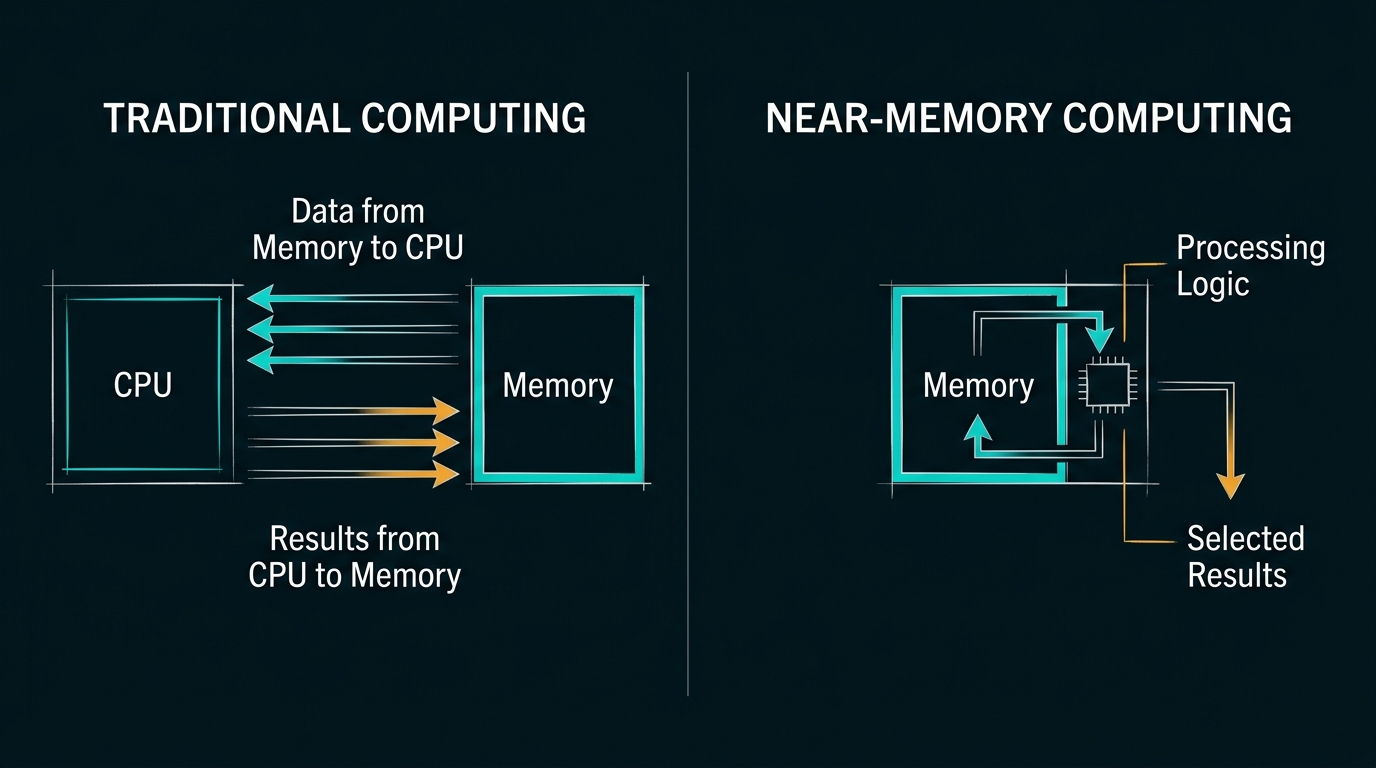
A modern processor finishes calculations in a split second, but hauling data between memory and the chip takes actual time and burns a ton of power. If an app constantly needs to pull huge piles of information, the processor ends up twiddling its thumbs.
Imagine running a factory where your crew can assemble products in seconds, but every single part has to be driven in from a building three streets away. Hiring more factory workers won't fix a thing if the delivery trucks can't keep up.
Computers have the exact same problem. Making the CPU faster doesn't mean squat if the memory system can't feed it fast enough. That wasted potential is what tech folks call the memory bottleneck (or memory wall). It's not a new issue, but the massive demands of modern AI have made it impossible to ignore.
Why AI Makes the Problem So Obvious
AI is the ultimate example here because training and running large models involves downright obscene amounts of data.
GPUs are fantastic at handling thousands of tiny calculations all at once, which is why they are the go-to choice for AI. But doing math is only half the battle. The system also has to constantly stream model weights, temporary results, and raw inputs back and forth.
When that data pipeline gets jammed, slapping more raw computing power on the chip gives you diminishing returns.
You see the same wall in other heavy industries too. Large database systems constantly scan millions of rows just to find a handful of matches. Scientific simulations push datasets so huge they spill way past the fast cache memory. Recommendation algorithms and log analytics spend almost all their time reading and comparing values rather than doing tricky math.
In these cases, the goal isn't just "make the chip calculate faster." The real trick is getting data to the chip without clogging up every pipe on the motherboard.
Now, to be fair, not every AI task runs into this exact wall. In high-end tech infrastructure, there's no single design that fits every job. Building smooth AI setups, database clusters, or financial tools means figuring out whether your bottleneck is actually Compute-Bound, Memory-Capacity Bound, or Memory-Bandwidth/Latency Bound.
Still, the big takeaway holds up: faster processors alone won't get us out of this corner.
What If Memory Could Do Some of the Work?
This is where near-memory computing comes into play.
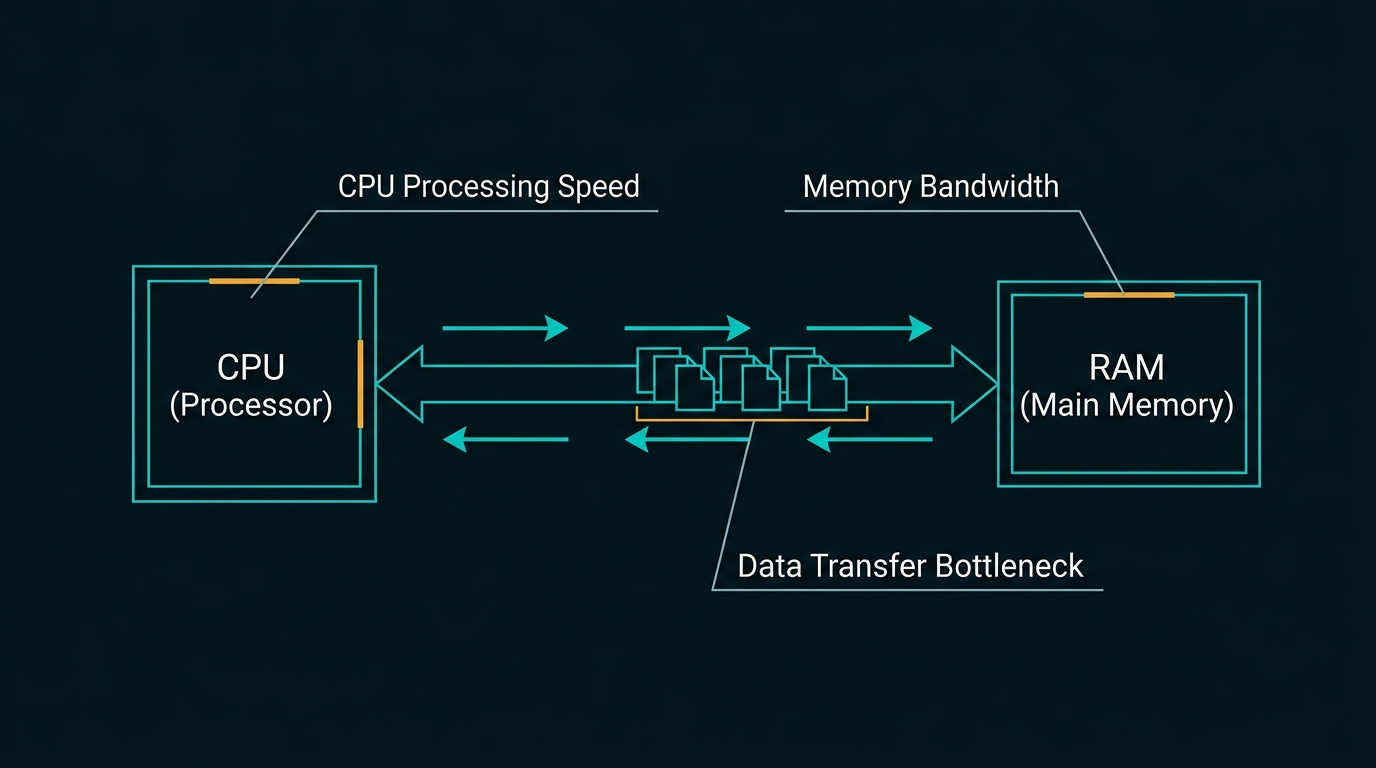
In traditional setups, memory is basically a dumb bucket for bits, while the CPU or GPU does all the heavy lifting. Every calculation requires sending raw data back and forth over physical wiring—a bottleneck that wastes both time and electricity.
Near-memory design flips that on its head by sticking smart controller logic right next to the memory chips (or stacked inside HBM layers). Instead of pulling massive datasets across the motherboard to a distant CPU, the system offloads simple tasks straight to where the data sits.
The goal here isn't to turn RAM into a full-blown CPU. It's simply about cutting out unnecessary trips. Take a huge database lookup: instead of flooding the system bus by sending millions of raw data rows to the processor just to run a simple search filter, the smart memory filters the data right on the spot and only sends back the few results you actually care about.
For memory-heavy AI tasks—like looking up KV caches in LLMs, running vector searches, or mapping big data graphs—this clears out network traffic and frees up your main graphics card or processor for the heavy lifting. The concept is super clean on paper, but getting software, memory chips, and controllers to work together seamlessly in real-world servers is where hardware engineers are breaking a sweat.
Why Not Just Put Everything Inside the Memory?
If near-memory is so great, why not build full processors directly onto RAM chips?
Because RAM and processor logic are built using completely different manufacturing tricks—and they don't mix well.
Memory chips are engineered to cram as many tiny storage cells into a square millimeter as humanly possible, keeping power leakages and production costs super low. On the flip side, high-performance chips (CPUs, GPUs, NPUs) use dense, blazing-fast transistors built for crazy execution speeds, complex caching, and handling heavy heat loads.
If you try to build a complex CPU on a memory manufacturing line, you ruin the storage capacity and make the RAM insanely expensive. And if you try to bake high-capacity DRAM onto a fast processor chip, it gets way too hot, causing the memory to lose its stored data while costing a small fortune to make.
Where Does CXL Fit In?
Another big piece of the puzzle you'll hear about is Compute Express Link, or CXL.
CXL is basically a high-speed language that helps processors, memory modules, and accelerator cards talk to each other much faster. It uses fast physical slots (like PCIe) to let systems pool, share, and expand memory across different parts of a server setup.
Why does that matter?
In traditional servers, RAM is locked strictly to the specific CPU installed next to it. One server might completely run out of memory while another server sitting right next to it in the rack has gigabytes sitting completely idle. CXL lets systems hook up extra memory boxes and share those resources on the fly, making infrastructure way more flexible.
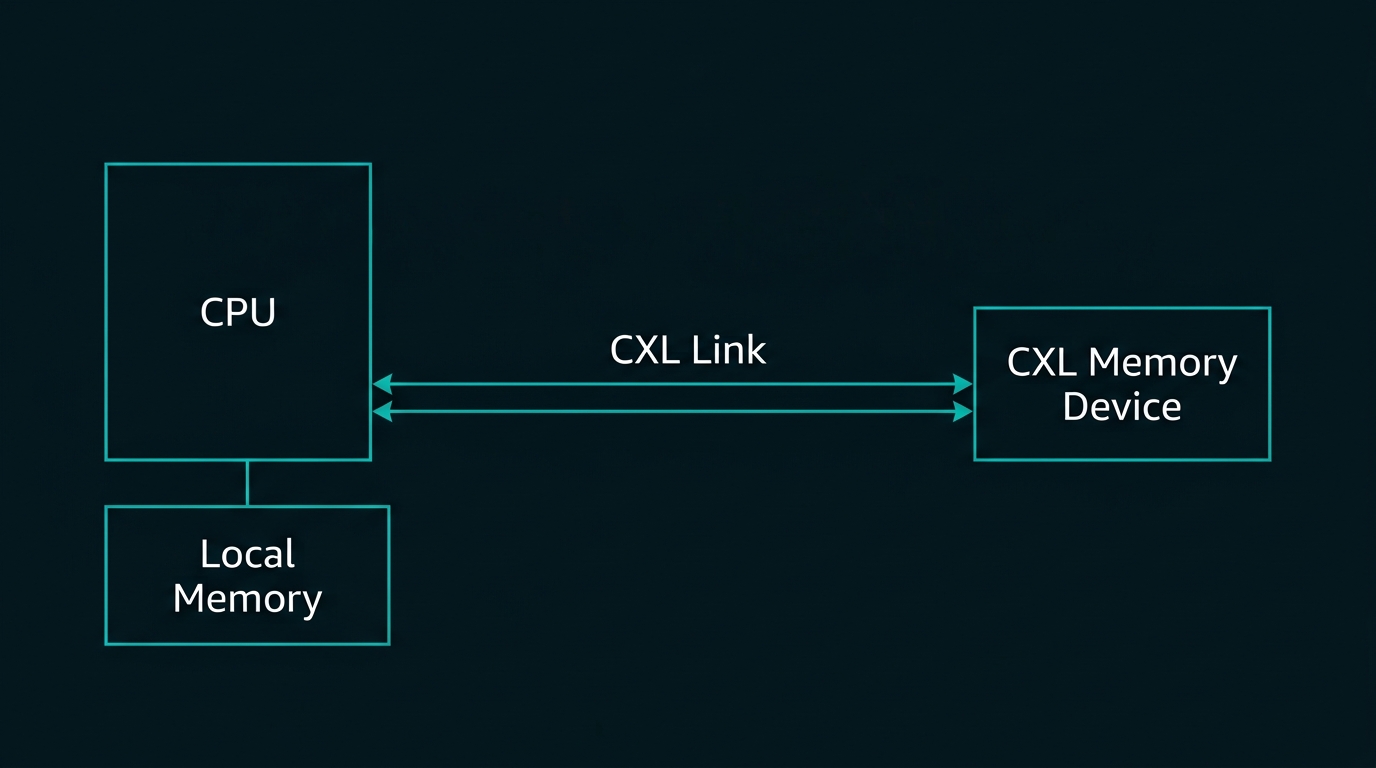
That said, CXL and near-memory computing aren't the same thing. CXL is a highway system for moving data, while near-memory computing is a strategy for processing data closer to home. They work great together, but adding CXL memory to a server doesn't automatically mean your data is doing math inside the RAM.
Understanding that difference is key because the grand goal isn't just adding more RAM slots—it's building smarter systems that make every bit of power, bandwidth, and capacity count.
What About New Memory-Processing Hardware?
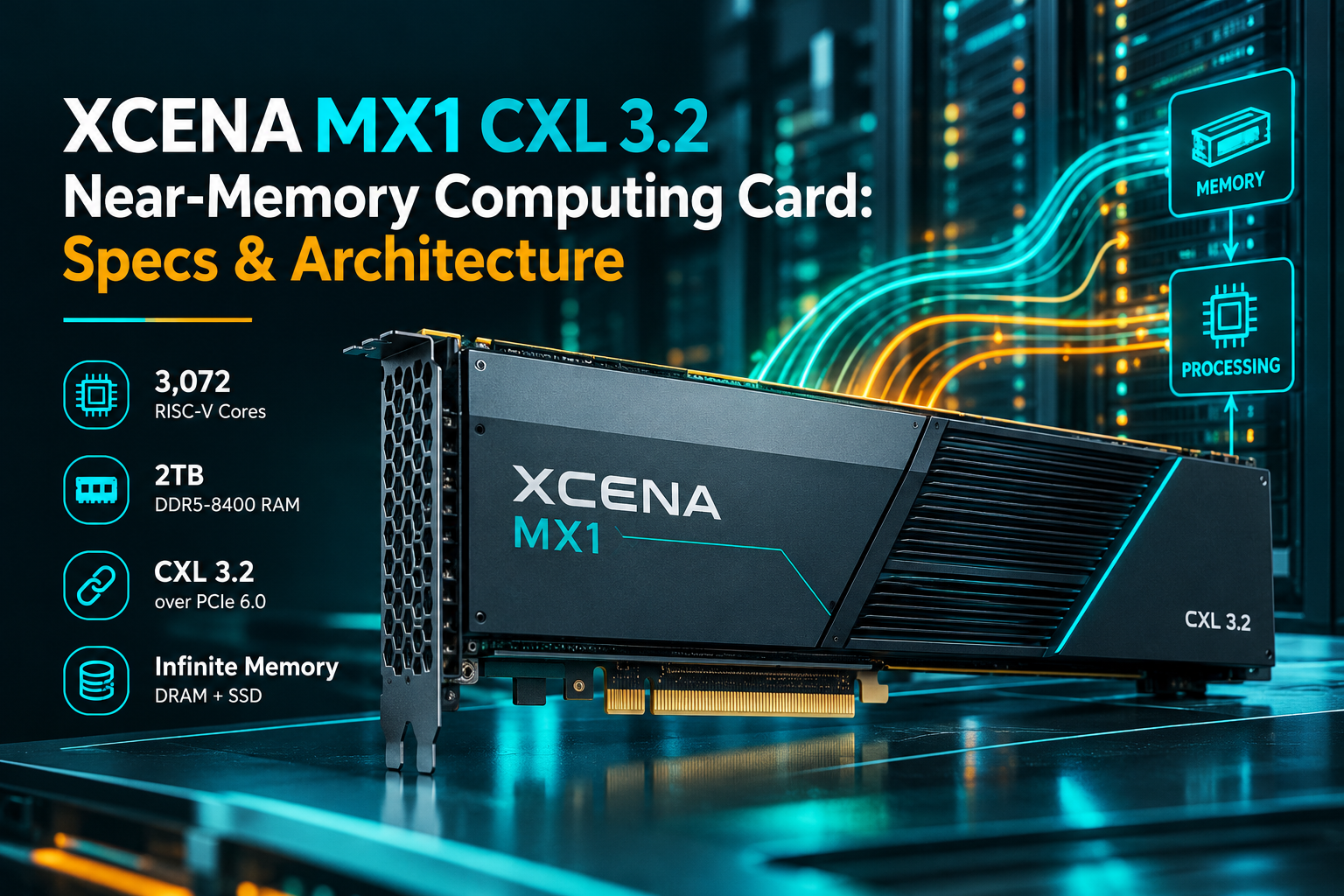
To punch through the memory wall, a few chipmakers are pushing even further by embedding processing logic straight onto memory silicon or interposers (often called Processing-In-Memory or PIM). The XCENA MX1 is one example of this approach, combining memory expansion with processing capabilities on a single card. The sales pitch is simple: clean up and shrink the data locally before it ever touches the main highway.
This setup hits the jackpot for simple, data-heavy tasks like running vector searches or scanning through massive server logs. When the chip trims down raw bytes locally, you kill system congestion before it even reaches the main processor slot.
However, flashy lab benchmarks always need a reality check. An architecture that flies through synthetic test runs can easily choke on messy, multi-tenant real-world workloads. The real trial isn't how fast a chip looks on a slide deck; it's whether it actually cuts bus traffic without causing overheating or making software a nightmare to write. If a company has to rewrite its entire coding pipeline or overhaul its software tools just to support custom memory commands, developers simply won't touch it.
Is Near-Memory Computing the Future?
It's pretty much guaranteed to become a core pillar of modern AI setups, especially as massive AI models push dataset sizes far past standard hardware limits.
That doesn't mean traditional processors are going away—heterogeneous setups are here to stay. CPUs will stick to coordinating tasks, GPUs and NPUs will keep tearing through parallel math, and specialized chips will tackle niche jobs. Near-memory design simply solves a different layer of the puzzle: the physical drag of moving data around.
Trimming bus traffic might not sound as exciting as boasting about higher clock speeds or more GPU cores, but in massive data centers pulling megawatts of power, fixing data traffic jams is where true efficiency is won.
The future of computing isn't about running every single line of code inside your RAM sticks. It's about making sure our fastest processors finally stop wasting time lugging raw bytes back and forth when they don't have to.