
Why Cold Storage Matters More Than Ever for Crypto Security
There’s an uncomfortable reality about crypto in 2026: if your funds get drained, it’s rarely a failure of the technology anymore. It’s a failure of human decision-making.
We’ve moved past the era where keeping funds on a random exchange or using a basic password was considered an acceptable risk. Today, the underlying tech is remarkably robust, which means attackers have had to pivot. They aren't trying to brute-force the blockchain; they’re targeting your psychology. They prey on your daily habits, your false sense of security, and those tiny, convenient shortcuts we all take when we're in a hurry. We all want absolute security, but deep down, we crave convenience—and that tension is exactly what gets people wrecked. The user is now the ultimate single point of failure.
Because of this shift, a hardware wallet is no longer just a digital safe; it has to act as a strategic, active defense mechanism against your own mistakes. In a market where a momentary lapse in judgment can evaporate years of wealth in a single click, choosing the right device is arguably the most important investment you'll make.
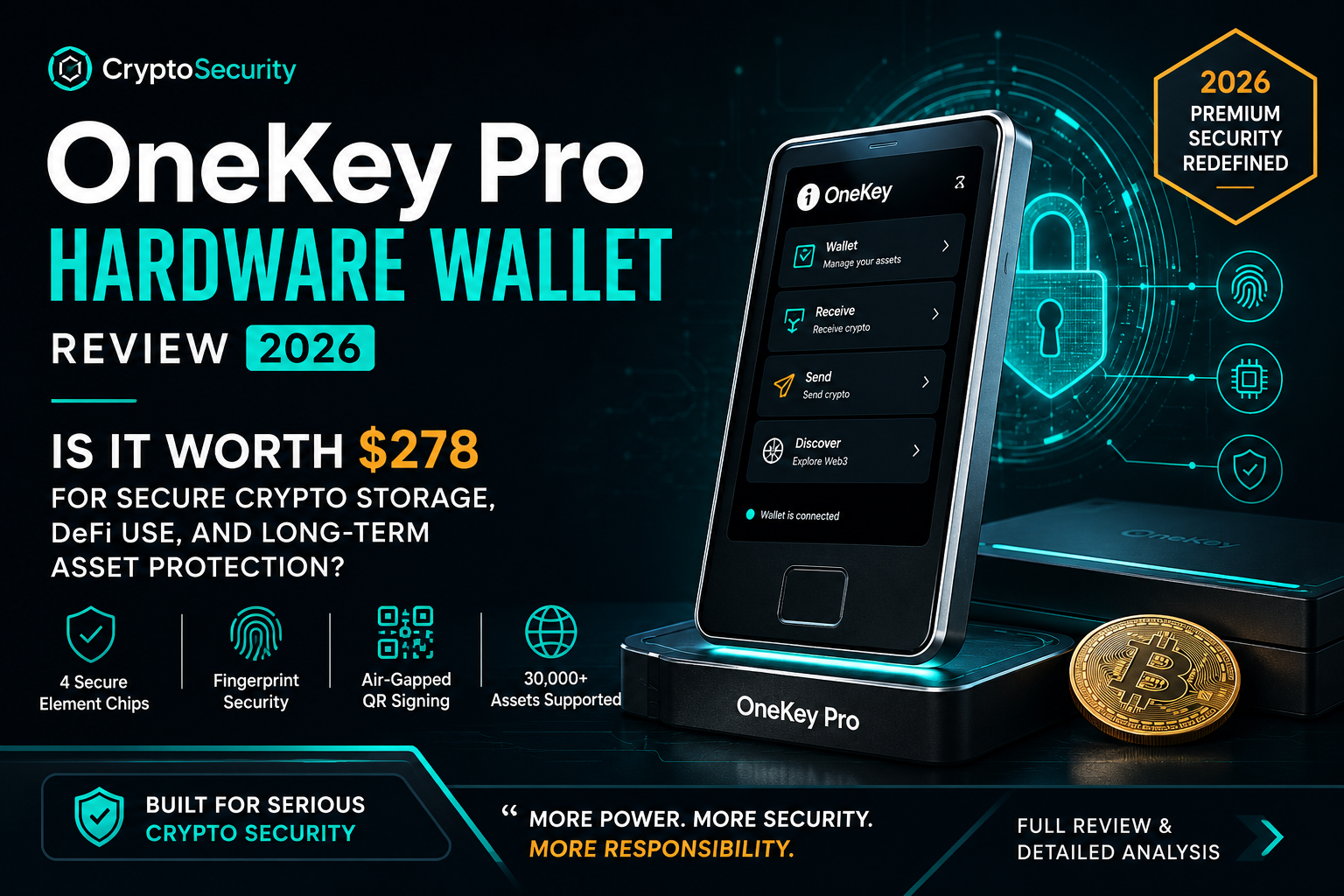
Enter the OneKey Pro. At $278, it’s positioned as the ultimate, zero-compromise fortress. With multi-chip security architecture, biometric authentication, completely air-gapped QR transactions, and support for practically every asset under the sun, it looks like the perfect modern shield on paper.
But that brings up a critical, heavily debated question: Does piling on more advanced technology actually make you safer, or does it just create a more complex system for you to accidentally mismanage?
In this review, we are throwing out the marketing brochures and skipping the basic spec-sheet readouts. We’re digging into what actually matters when real money is on the line. We will break down the OneKey Pro's true security architecture, evaluate the friction of its real-world usability, and determine if it genuinely earns that premium price tag.
Because in this industry, the line between being bulletproof and being dangerously exposed is almost invisible—until you cross it.
👉 The real question isn’t whether the OneKey Pro is secure…
it’s whether it actually makes you safer.
OneKey Pro Design and Build Quality Review (2026): Premium Hardware, Screen Quality, and Long-Term Durability
Design, Build Quality, and Physical Experience
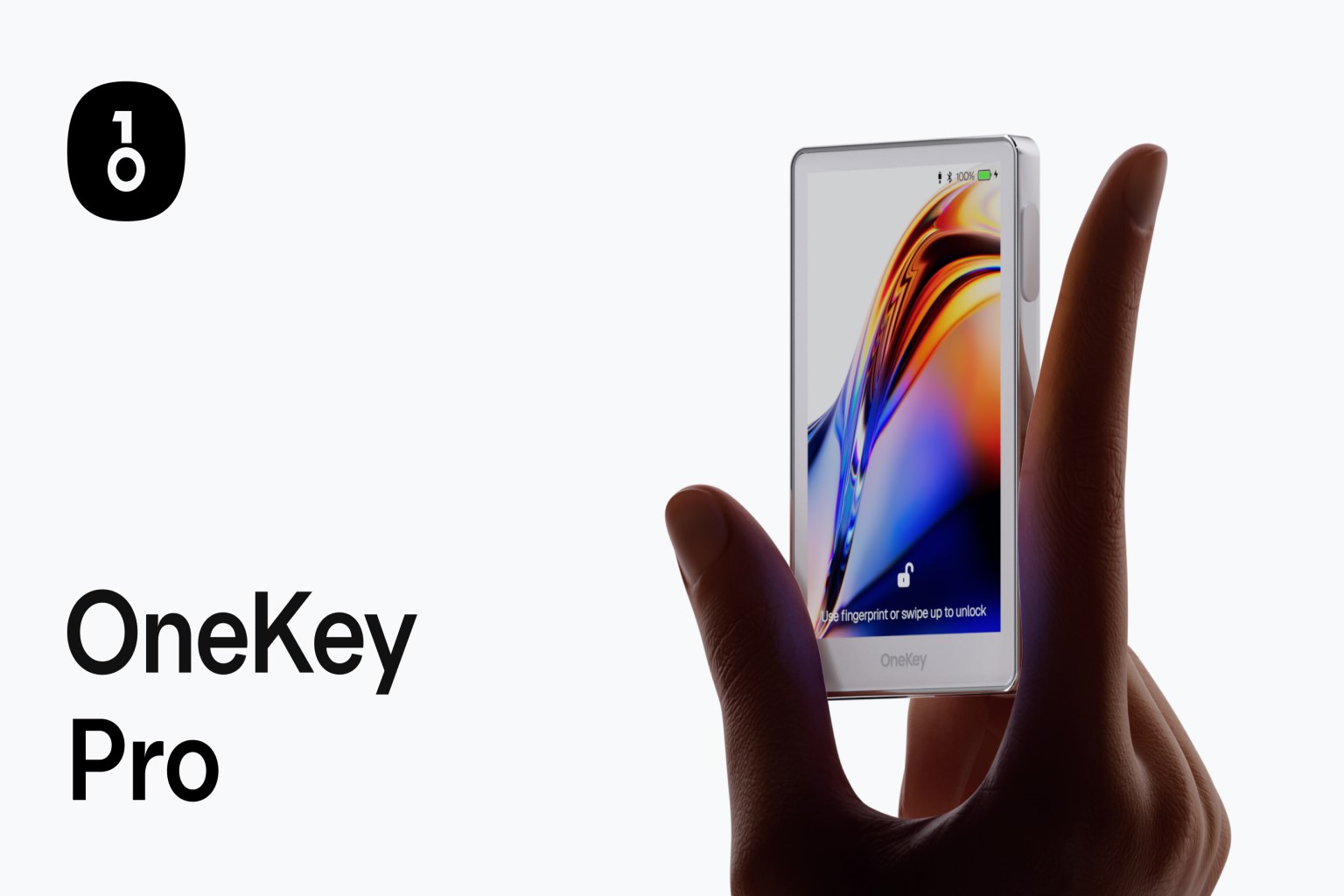
From the moment you hold the OneKey Pro, it’s evident that this isn’t just another plastic peripheral. It feels like a serious financial instrument.
At a lean 65 grams, it strikes that rare balance between feeling lightweight and feeling substantial. The aluminum alloy frame gives it a structural rigidity that basic hardware wallets lack, and its dimensions—roughly comparable to an early iPhone SE—make it pocketable without feeling fragile.
The centerpiece of the physical experience is the 3.5-inch IPS display. In an industry where we’ve long suffered through cramped, low-resolution screens, this 480 × 800 panel is a revelation. It’s sharp, responsive, and bright. This isn't just about aesthetics; when you are verifying a complex transaction, clarity is a security feature. Being able to read every character of a contract address without squinting reduces the "fatigue" that often leads to costly mistakes. The anti-fingerprint coating is a subtle but professional touch that keeps the interface legible through heavy use.
Perhaps the most underrated element is the haptic feedback. Every tap and confirmation is met with a precise vibration. Psychologically, this creates a tactile handshake—it bridges the gap between a digital action and a physical result, grounding the user and reducing the hesitation often felt during high-stakes signing.
The hardware also includes a built-in camera and flash to facilitate air-gapped QR workflows. It’s a clear nod to the power user who wants to keep their private keys entirely isolated from a physical connection. However, perfection is elusive: the fingerprint sensor button has been a point of contention for some, feeling slightly less premium or robust than the rest of the chassis. In a device built for a decade of use, these small tactile inconsistencies are worth noting.
OneKey Pro Security Architecture Explained: Four Secure Element Chips, Fingerprint Access, and Multi-Layer Protection
If the design is the skin, the security architecture is the bone. The OneKey Pro doesn’t just iterate on existing models; it attempts to redefine the defensive philosophy of cold storage.
While most wallets rely on a single Secure Element, the OneKey Pro utilizes a four-chip architecture. This isn't just "spec-padding"—it’s a move toward internal decentralization. By distributing sensitive operations across multiple physical components, the device shatters the "single point of failure" myth. For an attacker to compromise the seed, they aren't just fighting one lock; they are fighting a coordinated system that requires cross-verification between chips. This raises the difficulty for side-channel and physical attacks to an almost prohibitive level.
Layered on top of this hardware foundation is a sophisticated stack of authentication:
-
PIN Protection: Your basic physical gatekeeper.
-
Biometrics: Fingerprint access that balances high security with modern convenience.
-
Passphrase Support: For those who need "plausible deniability" and hidden vaults.
-
Optional 2FA: Adding a final account-level barrier.
This architecture is powerful, but it’s not passive. It is a "defense-in-depth" strategy that empowers the user, but it also demands they understand the tools they are wielding. It’s a professional-grade setup for a professional-grade mindset.
OneKey Pro User Experience and Ecosystem Compatibility: Setup Process, App Performance, and Multi-Chain Support
Setting up the OneKey Pro feels less like a technical chore and more like a guided onboarding ritual. The flow—from language selection to the high-stakes task of backing up your 24-word recovery phrase—is clean, intuitive, and remarkably accessible.
Once you’re live, the ecosystem reveals its true scale. Whether you’re connecting via Bluetooth or the air-gapped QR method, the OneKey app acts as a high-performance command center. With native support for over 30,000 tokens and NFTs across major chains like Ethereum, Solana, and Polygon, the device makes it clear: this isn’t just for "holding"; it’s for "operating."
In real-world testing, the integration into DeFi and multi-chain workflows is impressively fluid, though not entirely without the "ghosts in the machine." You might encounter the occasional transaction that fails on the first attempt or a momentary lag in QR pairing. These minor points of friction aren't deal-breakers—and they often vanish with a firmware update—but they serve as a reminder that we are handling a complex, evolving piece of technology. For the active user, the sheer breadth of compatibility usually outweighs these rare stutters.
OneKey Pro Battery Life and Connectivity Features: Bluetooth, NFC, USB-C, QR Signing, and Wireless Charging
To fuel its high-resolution screen and multi-chip system, the OneKey Pro relies on a 530 mAh lithium-ion battery. It supports everything a modern user could want: USB-C, Bluetooth, NFC, and even wireless charging.
On paper, the connectivity suite is flawless. It offers the flexibility to work in whatever environment you find yourself. However, real-world battery performance can be the device's most variable trait. While it can sit on standby for days, active use—especially with high screen brightness and frequent biometric scans—can drain the battery faster than some might expect.
This variability is the logical trade-off for a device this powerful. It’s a high-performance machine, and like any high-performance tool, it requires active energy management. It fits the broader theme of the OneKey Pro: It gives you more power and more options than almost any other device on the market, but it expects you to be a vigilant and active manager of that power.
OneKey Pro Specifications Breakdown: Hardware, Security, and Real-World Value (2026)
| Specification | Details | Why It Matters |
|---|---|---|
| Price | $278 | Premium-tier hardware wallet pricing |
| Display | 3.5" IPS (480 × 800) | Clear transaction verification |
| Build Material | Aluminum alloy frame | Durable and premium feel |
| Dimensions | 90.1 × 54.4 × 7.6 mm | Compact and pocket-friendly |
| Weight | 65 g | Lightweight for portability |
| Security Chips | 4 Secure Element chips | Enhanced tamper resistance |
| Authentication | PIN, Fingerprint, Passphrase, Optional 2FA | Multi-layer security protection |
| Battery | 530 mAh | Moderate standby performance |
| Connectivity | USB-C, Bluetooth, NFC, QR Code | Flexible device compatibility |
| Charging | Wireless charging supported | Convenient everyday usage |
| Asset Support | 30,000+ tokens & NFTs | Broad multi-chain compatibility |
Is the OneKey Pro Worth $278 in 2026? Final Verdict on Security, Usability, and Long-Term Value
The OneKey Pro isn’t just another hardware wallet; it’s a sophisticated ecosystem designed for those who demand absolute control and deep flexibility. On paper, it hits every mark: multi-chip architecture, biometric security, and true air-gapped isolation. It pushes the boundaries of what we traditionally expect from cold storage.
But there is a reality that most reviews gloss over: Added features do not automatically equate to added safety.
Complexity is a double-edged sword. While these tools grant you more power, they also demand a much higher level of personal discipline. If you are the type of user who values technical isolation, understands the nuances of cross-chain management, and treats their security like a professional operation, the OneKey Pro is a formidable advantage. In the right hands, it isn't just a wallet—it’s a professional-grade security tool.
However, if you are looking for set-it-and-forget-it simplicity—something that functions with minimal friction or awareness—this level of sophistication might actually introduce more risk than it eliminates.
In 2026, the greatest threat to your stack isn't a flaw in the hardware; it’s the gap between a powerful tool and the discipline of the person holding it. The choice comes down to a fundamental self-assessment:
-
If you prioritize control, advanced workflows, and granular security: The OneKey Pro justifies its $278 price tag as a long-term strategic investment.
-
If you prioritize simplicity and want to minimize the number of critical decisions you have to make: You are likely better off within a more streamlined, "closed" ecosystem.
Both paths offer security, but only one will align with how you actually move in the digital space. In crypto, that alignment is everything—because a mismatched security setup doesn’t fail gradually. It fails all at once.
FAQ: OneKey Pro Hardware Wallet (2026)
Q1: Is the OneKey Pro hardware wallet safe?
Yes, the OneKey Pro is designed with four Secure Element chips and multiple authentication layers, including PIN, fingerprint, passphrase, and optional 2FA. This multi-chip architecture significantly increases resistance to physical tampering and advanced attacks, making it one of the more security-focused hardware wallets in its price range.
Q2: How many cryptocurrencies does the OneKey Pro support?
The OneKey Pro supports over 30,000 tokens and NFTs across major blockchain networks such as Ethereum, Solana, and Polygon. This broad compatibility makes it suitable for diversified crypto portfolios and active Web3 users who interact with multiple ecosystems.
Q3: Does the OneKey Pro work with mobile devices?
Yes, the device connects to its mobile app via Bluetooth or QR codes. It also supports USB-C and NFC connectivity. This flexibility allows users to manage assets securely while maintaining the offline protection of a cold wallet.
Q4: Is $278 expensive for a hardware wallet?
At $278, the OneKey Pro sits in the premium category, competing with devices priced between $249 and $399. The price reflects its advanced security architecture, biometric authentication, and modern touchscreen interface. Whether it’s worth it depends on the value of assets you’re protecting and your need for advanced features.
Q5: What are the main drawbacks of the OneKey Pro?
Some users report concerns about the fingerprint sensor’s durability and inconsistent battery performance. Occasional pairing or transaction issues have also been mentioned. While not critical flaws, these are important considerations when evaluating long-term usability.
Q6: Who should buy the OneKey Pro in 2026?
The OneKey Pro is best suited for serious crypto investors, long-term holders, and active DeFi or NFT users who want strong cold storage security combined with modern usability features. Casual users with smaller portfolios may find more budget-friendly alternatives sufficient.