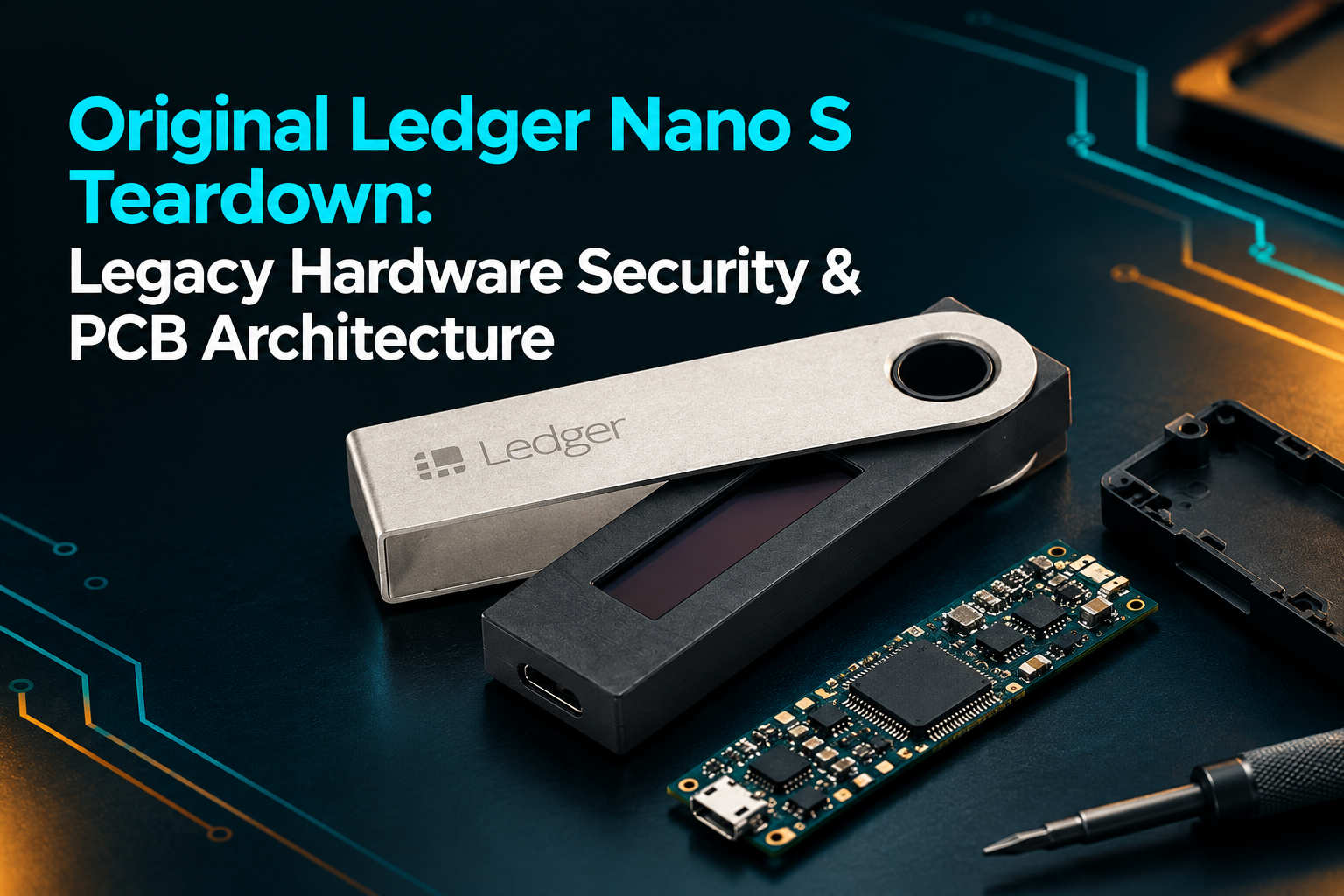
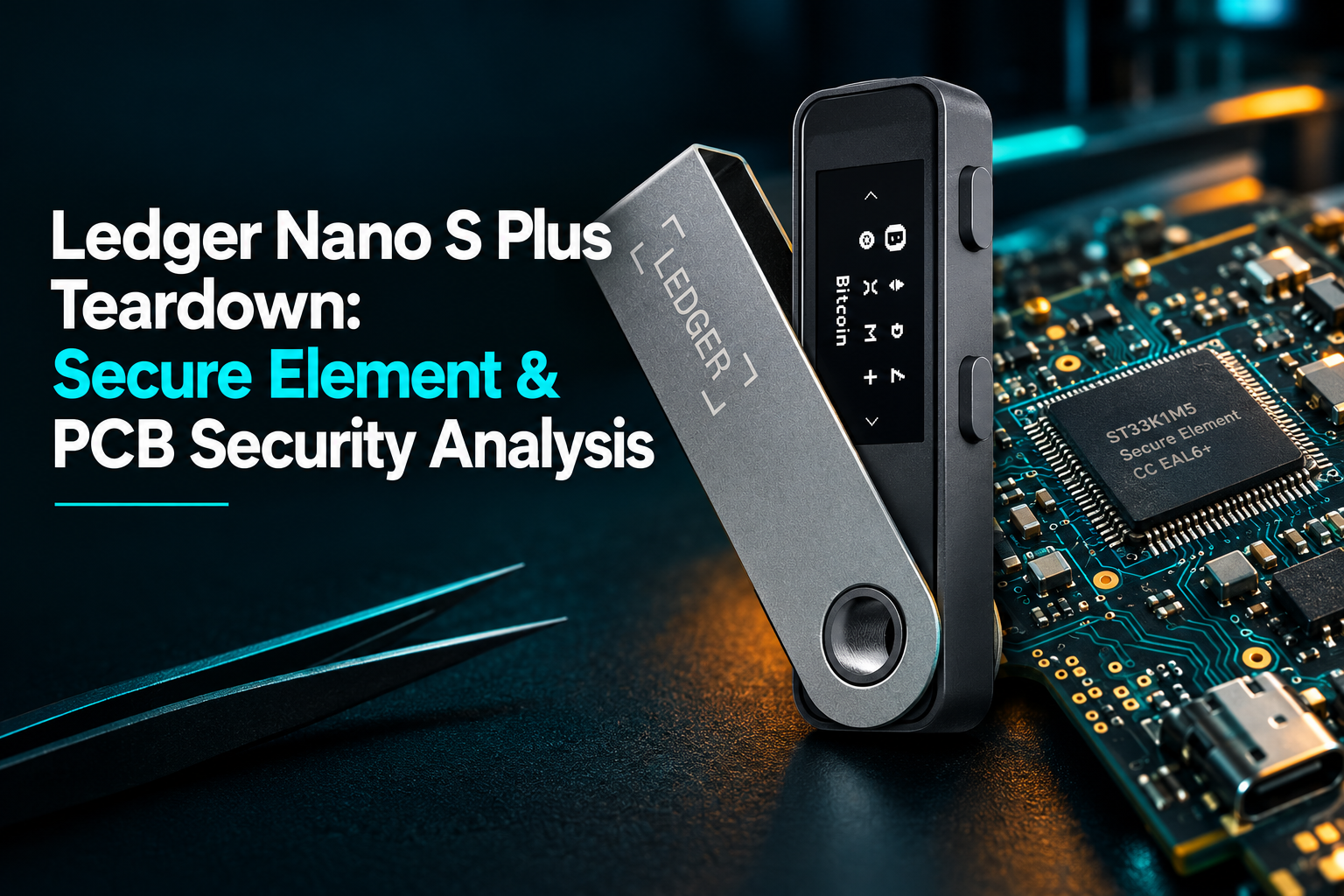
Introduction
The Ledger Nano S Plus is a compact hardware signer built to keep private keys air-gapped from internet-connected PCs and smartphones. On the outside, it keeps things simple: a small monochrome screen, two navigation buttons, and a USB-C port. Under the hood, however, a tightly integrated layout of display controllers, communication buses, and dedicated security silicon handles everything from transaction verification to on-device signing.
Looking at the device from the outside tells only part of the story. The more interesting questions concern its internal architecture: what the secure element actually does, how the display communicates with the electronics, and whether the physical layout introduces any meaningful security concerns.
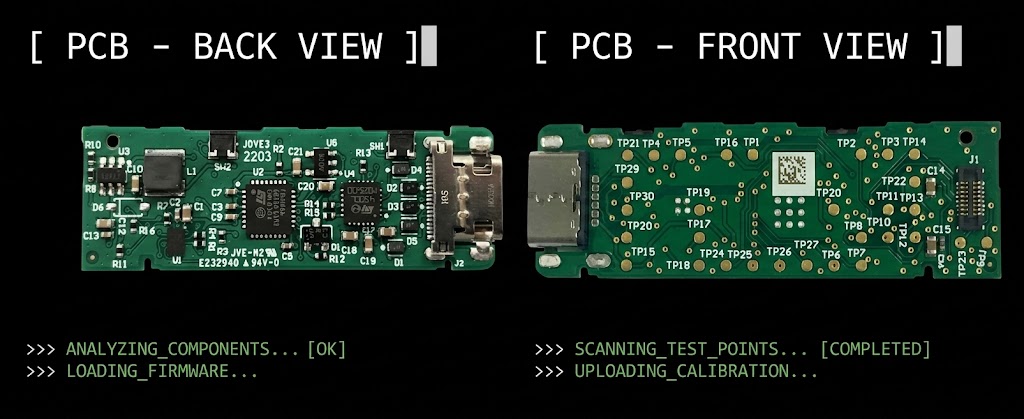
A teardown of the Nano S Plus offers a useful starting point for examining these questions. It also highlights a critical distinction: spotting potential attack vectors on a circuit board is very different from proving an actual, working exploit.
Ledger Nano S Plus: Key Specifications
The Nano S Plus is a USB-connected hardware signer without an internal rechargeable battery or Bluetooth connectivity. According to Ledger's official product specifications, it uses an ST33K1M5 secure element with CC EAL6+ certification and a 128 × 64-pixel monochrome OLED display.
| Specification | Ledger Nano S Plus |
|---|---|
| Device type | Cryptocurrency hardware wallet |
| Secure element | ST33K1M5 |
| Secure element certification | CC EAL6+ |
| Display | Monochrome OLED |
| Display resolution | 128 × 64 pixels |
| Connection | USB-C on the device |
| Wireless connectivity | No Bluetooth |
| Internal battery | None |
| Dimensions | 62.4 × 17.4 × 8.2 mm |
| Weight | Approximately 21 g |
These specifications describe the standard Nano S Plus model. Hardware revisions, packaging, and regional bundles can vary, so the specifications should be checked against the exact product version when examining a particular unit.
Ledger Nano S Plus Architecture: ST33K1M5 Secure Element & STM32 MCU
The device uses a small printed circuit board (PCB) that connects the secure element, the main communication electronics, the display, the physical buttons, and the USB interface.
Each component has a different role. Understanding those roles is essential before drawing conclusions about the wallet's physical security.
1. The Secure Element: Protecting Private Keys
The secure element is the centerpiece of the Nano S Plus's defense strategy. This dedicated security chip executes cryptographic operations in an isolated environment, engineered specifically to repel physical probing, fault injection, and side-channel extraction attacks.
Ledger identifies the Nano S Plus secure element as the ST33K1M5, with CC EAL6+ certification. That certification indicates that the chip has undergone a formal security evaluation under a defined assurance framework. It does not mean that every part of the complete device is impossible to attack.
The secure element is part of a broader security architecture that also includes Ledger's operating system, transaction-signing process, and trusted display.
This distinction is crucial: hardware security is never just about a single chip. It comes down to system-level integration—how that chip talks to the rest of the board, the integrity of the firmware running above it, and whether the on-screen information matches what the user is actually signing.
2. The Main Microcontroller and USB Communication
To handle USB traffic and general device housekeeping, the board relies on a secondary STM32 microcontroller.
This main MCU shouldn't be mistaken for the wallet's vault. The secure element handles all high-assurance cryptographic tasks, while the STM32 acts as the traffic cop for incoming and outgoing data.
This division keeps untrusted host communications well away from raw private keys. But having two chips on the board is only half the battle—the system is only as secure as the firmware and bus interfaces connecting them. If those communication lines aren't properly secured, a compromised companion chip could still attempt to alter transaction details before they hit the screen.
3. The OLED Display and Its Connection
On-device navigation and address verification are handled by a small monochrome OLED panel. This display forms the last line of defense: if a malware-infected computer tries to swap recipient addresses in the background, the true details will still show up on the device screen for the user to catch.
Under the hood, the OLED panel connects to the circuit board through a small ribbon interconnect. The teardown details these signal paths, which bridge the display controller directly to the physical screen.
4. Physical Buttons and the Internal Housing
The Nano S Plus uses two physical buttons for navigation and confirmation. The buttons operate through tactile switches mounted on the circuit board, with the housing helping align the external controls with those switches.
The outer enclosure is compact and primarily plastic, with a metal cover that protects part of the device. Its construction makes the wallet relatively lightweight and portable.
A compact enclosure also creates practical engineering constraints. The manufacturer must accommodate the display, connectors, circuit board, buttons, and protective housing within a small space.
The teardown suggests that some unused volume remains inside the enclosure. From an electronics-design perspective, unused space can sometimes accommodate additional circuitry, but space alone does not establish that a malicious component has been installed.
The correct approach is to examine the actual board, compare it with reliable reference material for the same hardware revision, and investigate any unexplained differences.
PCB Layout & Attack Surfaces: Evaluating Test Points and Enclosure Space
One of the more interesting aspects of the teardown is the circuit board's test points.
Why Are Test Points Present?
Electronic devices often include exposed test points so manufacturers can check electrical connections and verify that a board works correctly during production. One common method is called bed-of-nails testing, in which multiple spring-loaded contacts touch designated points on a circuit board simultaneously.
This allows manufacturers to test several signals efficiently without attaching individual probes by hand.
The same points can also attract attention during a security assessment. Depending on their function and accessibility, test points may expose signals that an attacker would want to examine.
In the video, the investigator highlights accessible pads and discusses possible connections to display-related signals. These observations raise legitimate questions about the trade-off between efficient production testing and resistance to physical tampering.
Nevertheless, visible test pads are not proof of a vulnerability. Their significance depends on what signals they carry, what protections exist elsewhere in the design, and what access an attacker would need.
Could a Different PCB Layout Improve Security?
Several engineering approaches can make unauthorized physical access more difficult. Depending on the design requirements, these can include routing sensitive signals through internal PCB layers, limiting exposed test points, adding protective structures, and using tamper-resistant construction.
A manufacturer must balance these measures against cost, production yield, reliability, repairability, and testing requirements.
For example, moving a sensitive signal to an internal PCB layer may make direct probing more difficult. A protective mesh may also help detect certain forms of physical interference if it is properly integrated with the security architecture.
Neither technique is a universal solution. A more complex multilayer board may increase manufacturing costs, while a protective structure is only effective against the attacks it was designed to detect or resist.
The teardown therefore raises useful engineering questions, but it does not establish that the Nano S Plus is insecure simply because its PCB has accessible test points or unused space.
Supply-Chain Security: Preventing Pre-Generated Seed Phrase Scams
Supply-chain attacks against hardware signers often target initialization protocols rather than silicon integrity. A primary vector involves replacing factory documentation with cards pre-printed with an attacker-controlled recovery seed.
This attack exploits user trust rather than hardware vulnerabilities. The wallet itself is usually authentic and untampered with, making the compromise virtually invisible to anyone unfamiliar with proper setup procedures.
Because a seed phrase grants full cryptographic control, initializing a device with a pre-determined phrase gives the adversary instant, backdoor access to drain assets as soon as funds are deposited.
The core security rule is non-negotiable: a genuine hardware signer must always generate a fresh, unique recovery phrase directly on its own display during initial setup. Users must transcribe these words manually onto blank sheets, store them securely offline, and set a custom PIN from scratch.
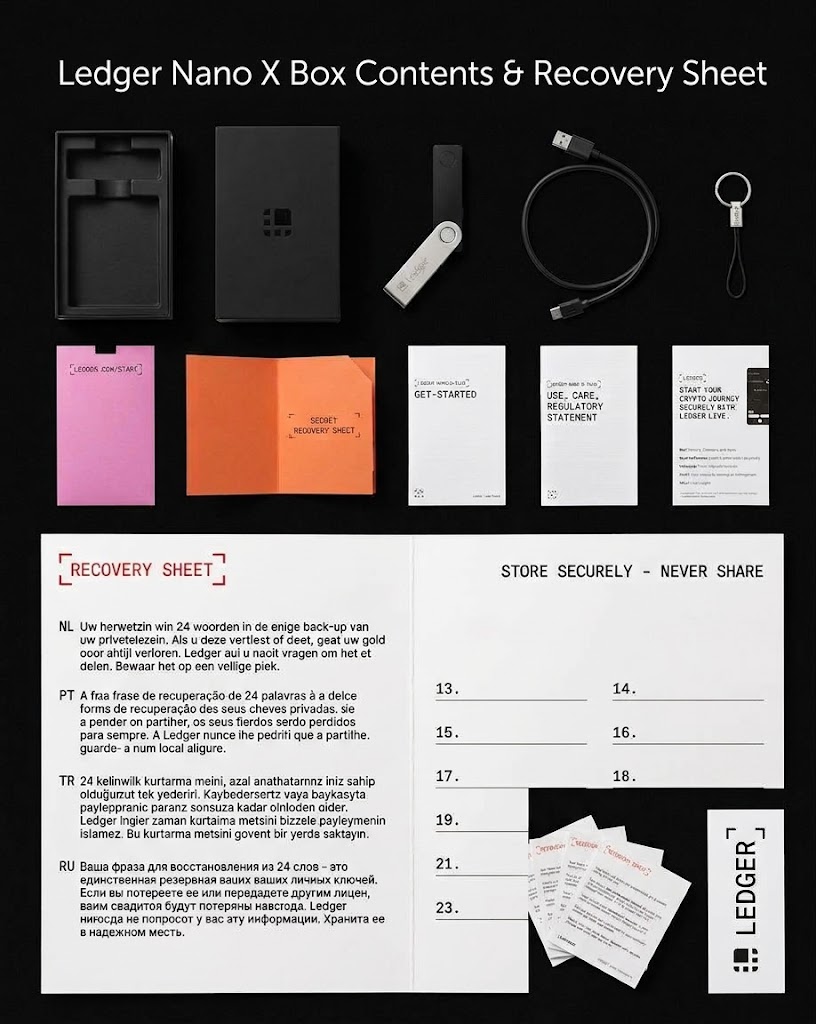
Ledger’s official policy is clear: every recovery card in the box must arrive completely blank, and pre-printed 24-word phrases are never supplied. However, a blank recovery sheet alone isn't absolute proof of authenticity—packaging and paper can easily be replicated. End users must always pair physical verification with Ledger's official cryptographic device attestation during software setup.
How to Verify a Genuine Ledger: Cryptographic Attestation & Setup Guide
You don't need to break out a screwdriver to make sure your wallet is safe. In fact, opening the casing is more likely to ruin your device and void your warranty than reveal anything useful, since visual checks won't spot malicious code or altered chips anyway.
The safest way to verify a new unit is through a few essential sanity checks:
1: Stick to legitimate vendors: Stick to Ledger’s official store or official retail partners, and check the packaging when it arrives.
2: Ensure recovery sheets are blank: If your wallet comes with a pre-printed 24-word phrase in the box, it's compromised. Your device should always generate a brand-new phrase on its screen during setup.
3: Set up from scratch: Always select the "Set up as new device" option. Never restore a seed phrase provided by a seller or third party.
4: Download software safely: Grab Ledger Live directly from the official website—never from third-party app stores or search ads.
5: Let the software verify the hardware: Once connected, the official app runs an automated authenticity check that uses cryptographic signatures to prove the secure element inside is genuine.
If the software check throws an error, rule out basic issues like bad USB cables or outdated software first. But if the genuine check fails consistently, don't risk your funds—keep the wallet offline and contact official support.
Wired Security Trade-offs: Why Nano S Plus Omits Battery & Bluetooth
The Nano S Plus is designed for wired use. It connects through USB-C and does not need an internal rechargeable battery to operate.
That design has practical advantages for users who mainly manage their assets from a desktop computer or a compatible Android device. There is no internal battery to recharge or eventually replace, and the device does not depend on Bluetooth for its normal connection.
The trade-off is convenience. Users who want wireless connectivity or iPhone compatibility may prefer a different model, such as the Ledger Nano X, subject to the compatibility of their device and current software.
For someone who primarily manages a long-term cryptocurrency portfolio from a computer, the Nano S Plus may offer a simpler set of hardware features without requiring wireless functionality.
It is worth remembering, however, that a wallet's security cannot be judged solely by whether it has a battery, Bluetooth, or a particular type of USB connector.
Engineering Verdict: Evaluating Ledger Nano S Plus Physical Security
At its core, the Ledger Nano S Plus couples a hardened secure element with standard consumer electronics—a small OLED screen, tactile buttons, USB-C interface, and a compact PCB. It’s a great case study in how modern hardware wallets bridge the gap between high-assurance cryptographic security and cost-effective mass production.
The teardown also highlights an important point for hardware security: components that are useful for manufacturing and testing can become areas of interest during a physical security assessment.
That does not automatically mean the device has been compromised, nor does the presence of unused space establish a practical attack. Demonstrating a real vulnerability requires more than identifying a possible place to connect a probe or fit additional circuitry.
For most buyers, the most valuable precautions remain simple: obtain the device from a trustworthy source, ensure the recovery sheets are blank, generate the recovery phrase during setup, and complete the official authenticity check.
For electronics enthusiasts, the deeper lesson is that hardware security is a system-level problem. The secure element matters, but so do the circuit board, firmware, display path, manufacturing process, and the way the owner verifies transactions.
Sources and further reading
- Ledger Nano S Plus — Official product specifications
- The Secure Element Chip: How It Keeps Your Ledger Secure
- Ledger — Official support and device verification guidance
This article is for educational purposes and does not constitute a formal security audit of the Ledger Nano S Plus.