
Introduction
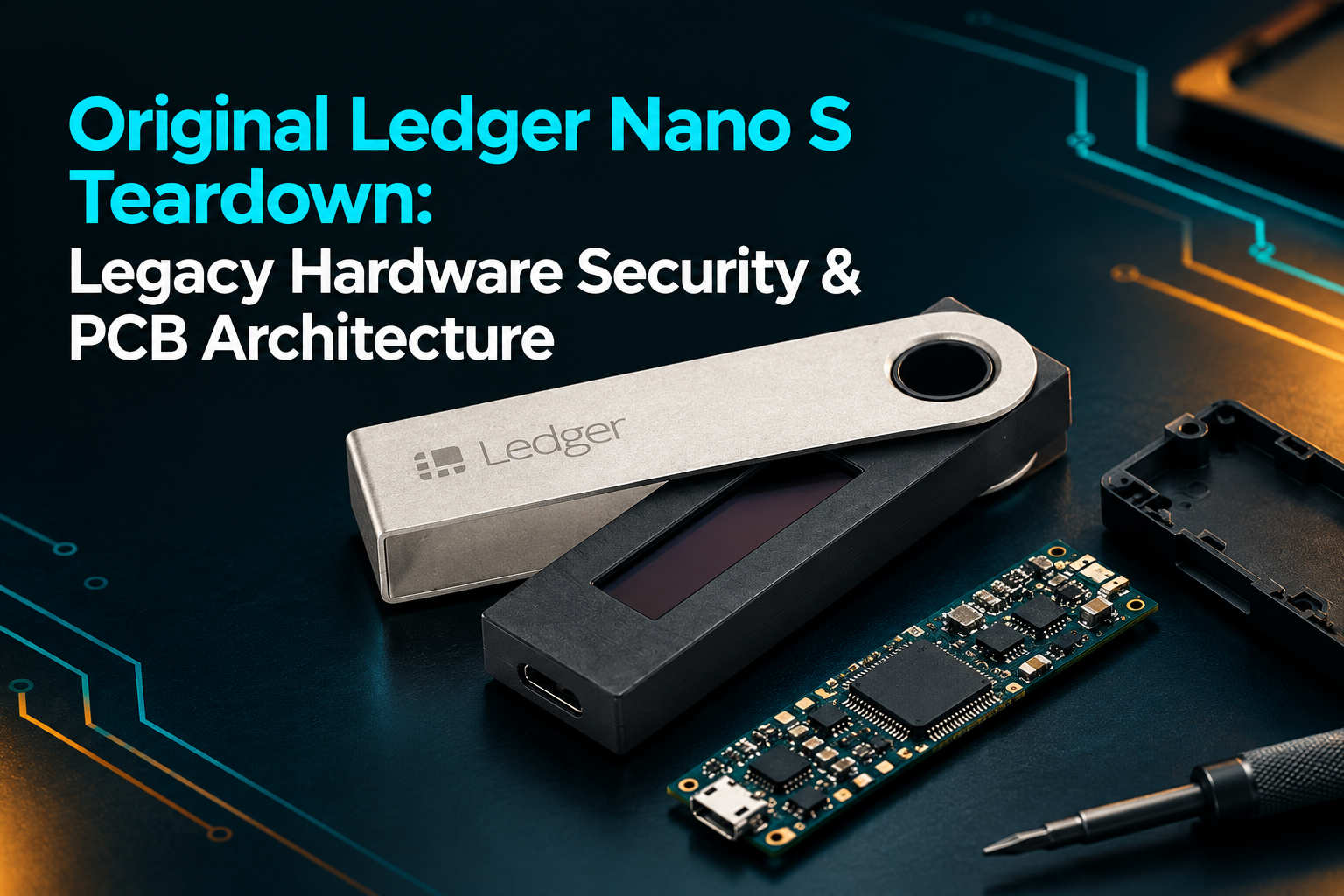
Long before the Ledger Nano Plus took over as the go-to entry-level wired wallet, the original Nano S set the blueprint for the compact USB design that put the series on the map. Launched back in 2016, it brought together a tiny OLED screen, physical buttons, and dedicated security silicon—all packed into a simple device built to keep private keys entirely isolated from internet-connected computers.
On the surface, it looked straightforward enough. But under the hood, the hardware was divided into clear functional roles: a secure element locked down sensitive cryptographic tasks, auxiliary chips handled data communication, and the display gave users a physical way to inspect and sign transactions right on the device.
Looking back at the original Nano S is a great way to see how hardware engineering matures. Its tight memory limits, legacy connector, and cramped board layout tell the complete story of why Ledger eventually needed to step up to the refined architecture of the Nano S Plus.
Ledger Nano S: Technical Specifications
The original Nano S was introduced in 2016 and discontinued in 2022. Although it is an older product, previously purchased units may still function. However, continued functionality should not be confused with continued manufacturer support or compatibility with every current cryptocurrency application.
| Specification | Ledger Nano S |
|---|---|
| Product category | Cryptocurrency hardware wallet |
| Original release | 2016 |
| Connection | Micro-USB |
| Display | Small monochrome OLED |
| Controls | Two physical buttons |
| Security architecture | Secure element and Ledger OS |
| Internal battery | No |
| Bluetooth | No |
| Operating approach | USB-connected device |
| Current status | Discontinued legacy model |
These are model-level characteristics rather than a complete component-by-component identification of every hardware revision. The exact chip markings and PCB layout should be verified against the specific unit being examined.
Ledger Nano S Internal Architecture: Secure Element & Microcontroller
The Nano S uses a compact printed circuit board (PCB) to connect its security hardware, communication electronics, display, buttons, and USB interface.
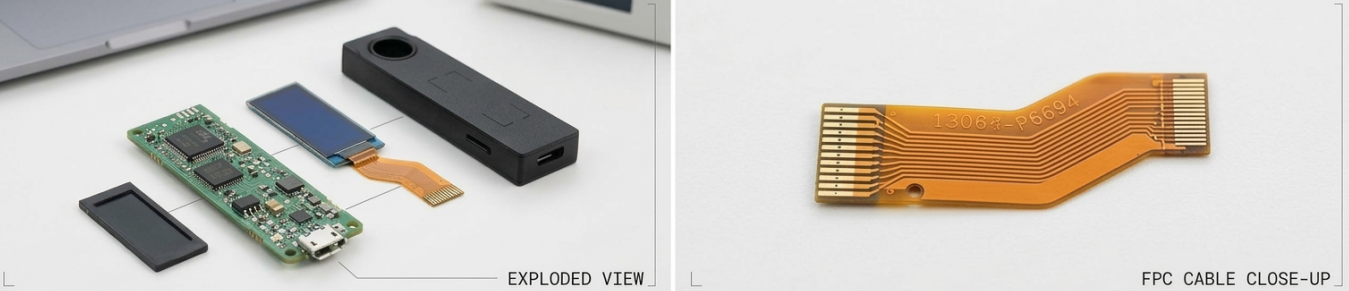
Although the board is small, its components do not all perform the same function. Understanding the separation between security-critical and supporting electronics is essential when assessing how the device operates.
1. The Secure Element and Private-Key Protection
The secure element sits at the very heart of the Nano S security architecture. It acts as a dedicated, hardened vault designed specifically to run sensitive cryptographic operations in isolation and actively repel physical, electronic, and side-channel extraction attacks.
A hardware wallet does not need to expose its private keys to the connected computer to sign a transaction. Instead, the transaction is processed through the device's security architecture, and the appropriate cryptographic result is returned.
This arrangement reduces the risk associated with keeping private keys on an ordinary computer that may be exposed to malware.
However, a secure element is not a guarantee that every possible attack against the complete device will fail. The surrounding firmware, communication interfaces, transaction-confirmation process, and manufacturing controls also matter.
A physical teardown can help identify the components involved, but the appearance of a chip alone does not establish that the firmware is authentic or that the entire device is secure.
2. The Supporting Microcontroller
Alongside the secure element, the device contains supporting electronics responsible for communication and other operational functions.
The main microcontroller is distinct from the secure element. It helps manage the interface between the device and the connected computer, while the security architecture is designed to protect sensitive cryptographic operations.
This separation is important because a hardware wallet must communicate with potentially untrusted software without simply handing over its private keys.
From a hardware-security perspective, the connections between these components deserve attention. A researcher may investigate how signals travel between the microcontroller, display, and security chip, but establishing a vulnerability requires evidence that an attacker can exploit those connections to bypass the intended protections.
The presence of multiple chips is therefore only the starting point of a security analysis, not its conclusion.
3. The OLED Screen and Physical Buttons
The original Nano S has a small monochrome OLED display controlled through two physical buttons.
The display allows the user to navigate the device's interface and review transaction details. The buttons provide a physical confirmation mechanism, helping separate transaction approval from actions initiated solely by software running on the connected computer.
This is a significant part of the device's design. If a computer is infected with malware, the information shown on the computer cannot automatically be treated as trustworthy. Reviewing the relevant details on the hardware wallet itself provides an additional opportunity to detect an unexpected transaction.
The small screen does have limitations. Long addresses and complex transaction details are less convenient to inspect on a compact display than on a larger screen.
That limitation does not make the device's security architecture equivalent to that of a software wallet, but it does mean that users must take care when reviewing transaction information.
4. The Micro-USB Connection
One of the most visible differences between the original Nano S and the Nano S Plus is the connection interface.
The original Nano S uses Micro-USB, while the Nano S Plus uses USB-C. Both are wired devices without Bluetooth, and neither relies on an internal rechargeable battery for normal operation.
The connector difference is primarily a matter of physical design and compatibility. USB-C is a newer, more widely adopted connector on modern electronics, while Micro-USB is increasingly associated with older devices.
The connector alone does not determine the quality of the security architecture. A newer USB interface does not automatically make a wallet more secure, just as an older connector does not automatically make one vulnerable.
For owners of an original Nano S, the more important questions are whether the device remains supported for their intended use, whether the necessary applications are available, and whether they can complete transactions safely.
PCB Layout & Physical Attack Surfaces: Test Points and Enclosure Limitations
A printed circuit board needs to be tested before it leaves the factory. Manufacturers use a variety of methods to check whether components are correctly installed and whether the board's electrical connections work as intended.
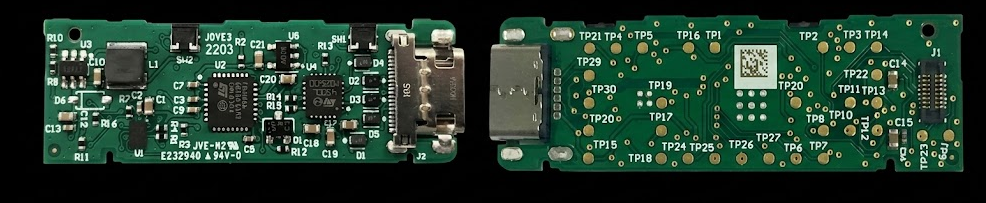
One common method is bed-of-nails testing. A test fixture uses multiple spring-loaded contacts to touch designated pads on a circuit board, allowing several electrical checks to be performed efficiently.
These pads are often called test points.
Why Test Points Matter in Hardware Security
Test points are useful in manufacturing, but they can also be relevant during a physical security assessment.
If a test point exposes a signal of interest, a researcher may examine whether that signal can be accessed after the device has been assembled. The practical risk depends on the signal's function, the protections surrounding it, and the equipment and access required to investigate it.
The presence of a test point is not proof of a security flaw. Many electronic products contain such points without creating a practical route to sensitive information.
A meaningful assessment must identify what a particular point connects to, whether the signal is accessible in the finished device, and whether the security architecture prevents an attacker from using it to compromise private keys or transaction integrity.
Could the Original Nano S Be Physically Modified?
Like many compact electronic devices, the Nano S contains a circuit board, connectors, a display assembly, and a protective enclosure. A sufficiently capable attacker with physical access may investigate ways to modify hardware or intercept signals.
That possibility is not unique to Ledger. It is a general concern in the design of security-sensitive electronics.
However, the fact that a device can be opened does not establish that it can be successfully compromised. An attacker may still need to overcome cryptographic protections, firmware controls, secure-element defenses, and other safeguards.
It is also important to distinguish a theoretical attack surface from a demonstrated exploit. A photograph of a circuit board can help explain the architecture, but it cannot establish that a working attack exists.
For this reason, a responsible teardown should describe observable hardware features separately from hypotheses about what an attacker might be able to do.
Nano S vs Nano S Plus: Memory Limitations, USB-C & Hardware Upgrades
Ledger introduced the Nano S Plus in 2022 as a direct answer to the original model's aging hardware. The first-generation Nano S was officially retired that same year, having reached its limits in a crypto landscape that demanded far more storage and better usability.
But there’s a lot more going on here than just swapping in a modern port.
The Nano S Plus gives you drastically more storage for app modules, meaning you no longer have to juggle app installations just to switch between chains. Couple that with USB-C and a noticeably larger, easier-to-read screen, and the daily user experience is night and day.
That said, the core design philosophy remains untouched: a compact, zero-battery wired hardware wallet controlled by physical buttons and anchored by a secure element.
The takeaway is simple: the Nano S Plus isn't just the old board in a slightly updated shell. It’s a purposeful redesign built to handle modern security and storage demands. If you're inspecting or buying hardware on the second-hand market, keep in mind that while they look similar on the outside, the silicon, firmware support, and memory capacity under the hood tell two very different stories.
Legacy Security Assessment: Is the Original Ledger Nano S Safe in 2026?
There’s no blanket verdict on whether the original Nano S is still usable today.
While an older unit might power up and work just fine, its legacy status brings real trade-offs. Before trusting a legacy Nano S with significant funds, you need to verify app memory limits, check for missing firmware updates, and confirm that current versions of your wallet software still support the board revision.
Ledger has stated that support for the original Nano S ended in 2022, while the device may remain functional. That distinction matters because a device that powers on successfully is not necessarily receiving the updates and compatibility support available to newer products.
Owners should consult the current official guidance before deciding whether to continue using an older device.
Basic precautions remain important:
-
Keep your recovery phrase offline: Store your physical recovery phrase securely in a private location. Never type it into a website, browser extension, or app, and never share it with anyone claiming to represent customer support
-
Verify before you sign: Always review the destination address, amount, and fee details on the physical wallet screen before approving a transaction, rather than trusting your computer or phone display alone.
-
Stick to official channels: Download legitimate client software directly from official vendor sources and always complete the automated cryptographic genuine-device check during setup.
-
Know when to upgrade: If an older device runs out of storage space or no longer receives critical firmware updates for the apps you need, migrate your seed to a modern, supported hardware model before managing significant assets.
If migrating to another wallet, recovery must be handled carefully. Anyone with access to the recovery phrase may be able to restore the associated wallet, so it should never be shared or copied into an ordinary computer document.
Engineering Verdict: Evaluating the Ledger Nano S Legacy Design
The original Ledger Nano S was an important product in the development of consumer hardware wallets. It brought together a secure element, a compact OLED display, physical transaction confirmation, and a USB-connected design in a relatively small device.
Its internal architecture demonstrates why hardware-wallet security cannot be assessed by looking at a single chip or connector. Security depends on how the components work together, how sensitive operations are protected, and whether the device can be maintained and verified over time.
The Nano S Plus improved on several practical limitations, particularly memory capacity and the physical connection interface. The original Nano S nevertheless remains an interesting device for understanding the evolution of cryptocurrency hardware security.
For current owners, the most useful step is to verify the device's present compatibility and support status rather than assuming that a working screen or successful USB connection proves it remains fully supported.
Sources and further reading
- Ledger Nano S — Original product information
- Ledger: Commemorating the Ledger Nano S
- Ledger: Device comparison and current product guidance
This article is intended for educational purposes. It is not a forensic examination of a specific Nano S unit or a formal security audit.