Introduction
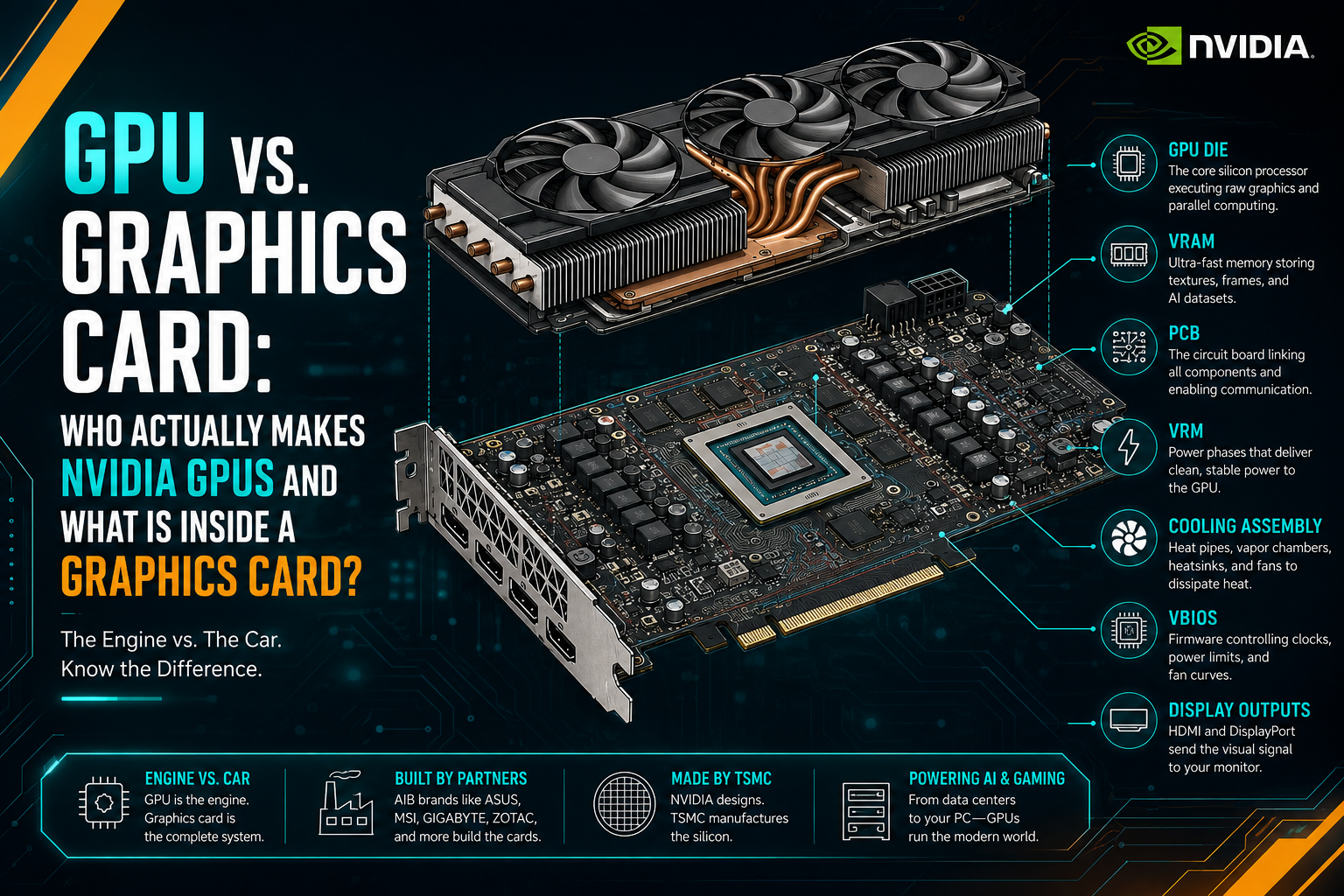
When we talk about a graphics card, it is easy to think that the entire product comes from NVIDIA. After all, NVIDIA designs the GPU, the most important and technologically complex component inside the card. The GPU is the GPU (Die), the silicon chip where billions of transistors perform the calculations needed for gaming, AI, rendering, video processing, and many other workloads.
But the GPU die is only the heart of the graphics card. It is not the entire graphics card.
Modern GPU dies are produced through one of the most advanced manufacturing processes in the semiconductor industry. NVIDIA designs the GPU architecture, while advanced semiconductor manufacturing is carried out by specialized foundries such as TSMC. The production of these chips also depends on an extremely complex global semiconductor equipment supply chain, including companies such as ASML, which provides the advanced lithography systems used in leading-edge chip manufacturing.
Once the GPU exists, however, another stage begins. The GPU has to become a complete graphics card that can actually be installed in a PC and operate reliably under heavy workloads.
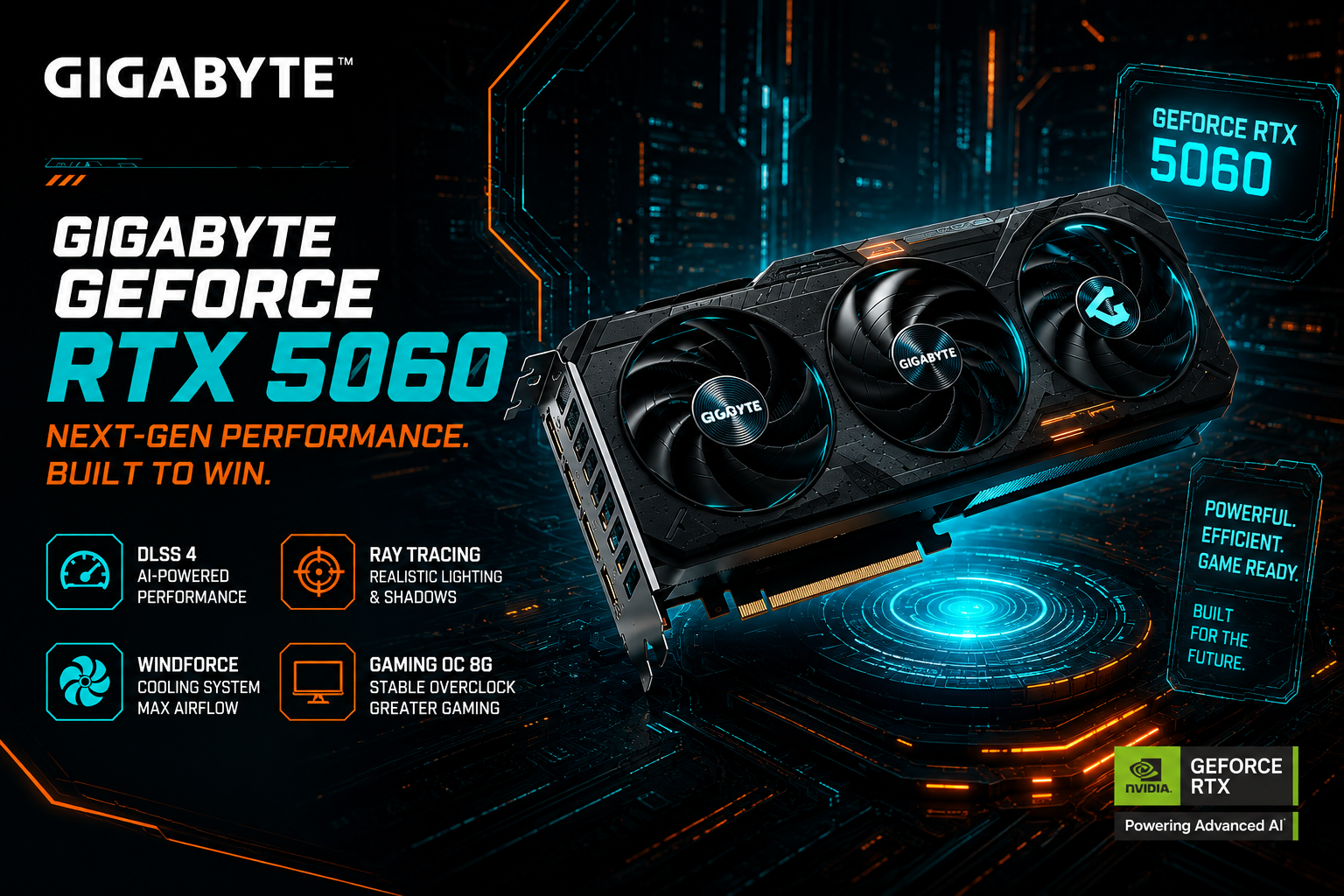
This is where companies such as Gigabyte come into the picture.
Gigabyte doesn't actually make the NVIDIA chip itself—they just take that chip and build the rest of the card around it. That means they handle everything else: designing the circuit board, power delivery, BIOS, cooler, fans, ports, and overall structure. It's really those custom parts that dictate how cool, quiet, and stable the card will actually run in your setup.
And this distinction is extremely important.
Two graphics cards can use the same NVIDIA GPU and still provide a noticeably different user experience.
When a GPU gets clean power, stays cool, and sits on a well-built board, it holds its top performance consistently without skipping a beat. But if a card cuts corners on cooling, power delivery, or component quality, you’ll quickly run into higher temps, louder fans, performance throttling, and potentially a shorter lifespan for the card.
Take cooling, for example. Your graphics card might be built to deliver incredible performance, but if the fans and heatsink can't get rid of the heat fast enough, the card will actually slow itself down to keep from overheating. Plus, a solid cooling setup lets your card run quietly without dropping any performance.
Power delivery is another huge piece of the puzzle. The GPU needs steady, clean electricity, and the card’s VRM and power components handle converting and fine-tuning that voltage before it actually hits the chip and memory. The quality of these components, their thermal management, and the overall PCB design all contribute to how reliably the card operates.
Then there are the less obvious components and engineering decisions: the BIOS and its power and fan-control settings, the memory configuration, heatsink design, heat pipes or vapor-chamber technology where used, fan design, fan-stop behavior, connectors, display outputs, PCB layout, electrical components, structural reinforcement, and the physical dimensions of the card.
In other words, NVIDIA provides the core computing engine, but the graphics-card manufacturer determines much of the environment in which that engine operates.
This is why buying a graphics card is not always as simple as looking at the GPU name printed on the box.
The GeForce RTX 5060 is the same fundamental GPU platform across different Gigabyte models, but Gigabyte offers multiple versions of the card, each designed with a different combination of priorities. One model may focus on a higher factory boost clock, another on cooling, another on compact dimensions, another on a low-profile design, and another on a more premium build.
There is no single design that can be the best at everything.
A larger heatsink may provide better thermal performance but require more space inside the PC. A compact card may fit into smaller cases but have less room for cooling. A factory-overclocked model may offer a higher advertised boost clock, while another model may prioritize lower noise or a different thermal design.
That is why, in this article, we are going beyond the basic NVIDIA specifications.
We will first establish what the RTX 5060 itself provides at the GPU level. Then, we will look at the different RTX 5060 graphics cards produced by Gigabyte, examine their technical specifications, and explain what each model is actually designed to prioritize.
From there, we’ll look past the official spec sheets and see how it actually performs in the real world. We'll dive into expert reviews, benchmark videos, and actual posts on gaming forums to figure out the real-world issues people deal with every day.
The goal is not simply to determine which Gigabyte RTX 5060 has the highest clock speed.
The goal is to understand what you are actually getting with each model, why Gigabyte offers so many versions of the same GPU, and which model makes the most sense for a particular type of user.
NVIDIA GeForce RTX 5060: Official Specifications of the Base Gigabyte Model
Before jumping into comparisons between Gigabyte’s different RTX 5060 models, let’s set the baseline. The WINDFORCE 8G is basically Gigabyte’s stock RTX 5060, sticking right to NVIDIA’s reference 2497 MHz clock speed. It carries the exact same core specs shared across the whole RTX 5060 lineup: 8GB of GDDR7 memory on a 128-bit bus, paired with 3,840 CUDA cores.
| Specification | Gigabyte GeForce RTX 5060 WINDFORCE 8G |
|---|---|
| GPU | NVIDIA GeForce RTX 5060 |
| Architecture | NVIDIA Blackwell |
| CUDA Cores | 3,840 |
| Core Clock | 2,497 MHz |
| Memory | 8GB GDDR7 |
| Memory Speed | 28 Gbps |
| Memory Interface | 128-bit |
| Bus Interface | PCIe 5.0 |
| Maximum Digital Resolution | 7680 × 4320 |
| Maximum Displays | 4 |
| Video Outputs | 3× DisplayPort 2.1b + 1× HDMI 2.1b |
| Power Connector | 1× 8-pin |
| Recommended PSU | 550W |
| Card Dimensions | 199 × 116 × 40 mm |
| PCB Form | ATX |
| DirectX | DirectX 12 API |
| OpenGL | 4.6 |
Even on this entry-level model, Gigabyte didn't skimp on cooling. They’ve packed in their WINDFORCE system—complete with Hawk fans, a copper contact plate, composite heat pipes, and an extended heatsink to push heat out fast. On top of that, the card gets a reinforced frame and uses Gigabyte's long-lasting Ultra Durable components.
Gigabyte GeForce RTX 5060 Models Compared: Features, Size and Performance
Let’s break down Gigabyte’s RTX 5060 models by looking at clock speeds, size, coolers, and where each card fits best. They all run on the exact same RTX 5060 GPU with 8GB of GDDR7 memory, but Gigabyte splits them up with different factory overclocks, dimensions, and looks. This makes it easy to compare your options and grab the right card for your setup—whether you're building a mini-ITX PC or want maximum cooling.
| Gigabyte RTX 5060 Model | Core Clock | Size vs. Base Model | Main Difference | Best Suited For |
|---|---|---|---|---|
| AORUS RTX 5060 ELITE 8G | 2722 MHz | Larger | Highest factory clock | Maximum factory performance |
| RTX 5060 AERO OC 8G | 2595 MHz | Larger | White/silver design + factory OC | White builds |
| RTX 5060 GAMING OC 8G | 2595 MHz | Larger | Gaming design + factory OC | Gaming |
| RTX 5060 GAMING 8G | 2497 MHz | Larger | Gaming-series design | Gaming |
| RTX 5060 EAGLE OC ICE 8G | 2550 MHz | Larger | White design + factory OC | White builds |
| RTX 5060 EAGLE MAX OC 8G | 2550 MHz | Larger | EAGLE MAX design + factory OC | Gaming |
| RTX 5060 WINDFORCE MAX OC 8G | 2512 MHz | Same | Compact WINDFORCE design + factory OC | Compact gaming PCs |
| RTX 5060 WINDFORCE MAX 8G | 2497 MHz | Same | Compact WINDFORCE MAX design | Compact PCs |
| RTX 5060 WINDFORCE OC 8G | 2512 MHz | Same | WINDFORCE design + factory OC | Mainstream gaming |
| RTX 5060 WINDFORCE 8G | 2497 MHz | Base Model | Standard configuration | Standard users |
| RTX 5060 OC Low Profile 8G | 2512 MHz | Much Smaller | Low-profile design + factory OC | SFF/low-profile PCs |
| RTX 5060 D7 Low Profile 8G | 2497 MHz | Much Smaller | Low-profile design | Very compact PCs |
Note: Size comparisons marked as “Larger,” “Smaller,” or “Much Smaller” are relative to the base Gigabyte GeForce RTX 5060 WINDFORCE 8G, which measures 199 × 116 × 40 mm (L × W × H).
What Hardware Communities Are Saying: Coil Whine Nightmares and Overclocking Surprises
The Idle Coil Whine Dilemma (Gigabyte RTX 5060 Low Profile)
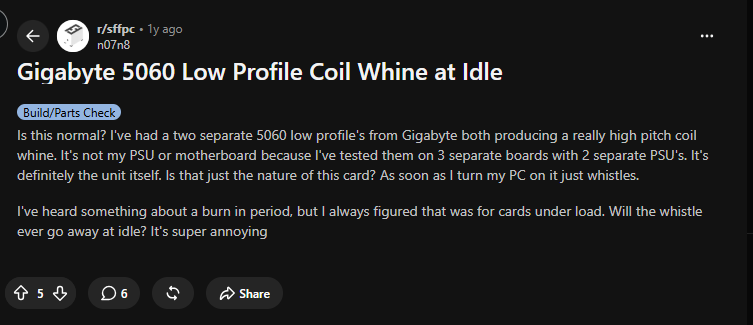
Building a Small Form Factor (SFF) PC usually means making thermal and acoustic compromises, but high-pitched whining while doing absolutely nothing shouldn't be one of them. Over on the r/sffpc subreddit, user n07n8 raised a major red flag regarding the Gigabyte RTX 5060 Low Profile. After going through two separate units and testing them across three motherboards and two power supplies, both cards produced a sharp, persistent coil whine the moment the system turned on.
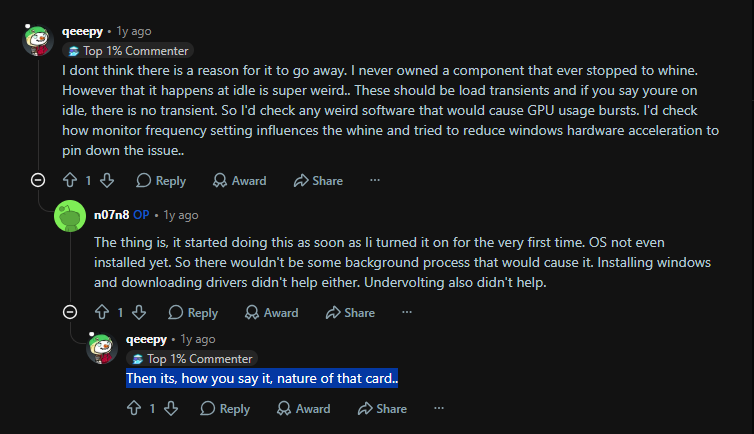
When the community suggested software updates or background GPU usage spikes, the user clarified that the whistle starts at the motherboard's boot screen before Windows or display drivers even load. This eliminates driver issues or OS background tasks, pointing directly to how Gigabyte engineered the power delivery (VRM) on this ultra-compact PCB.
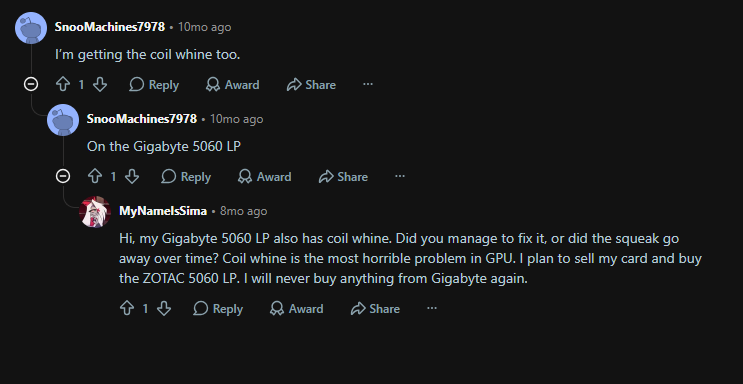
This isn't an isolated case of bad luck in the silicon lottery. Multiple owners in the same thread confirmed experiencing identical coil whine on their Gigabyte 5060 LP units. The frustration is already driving buyers toward alternative low-profile models, such as Zotac’s offerings. If you are building a whisper-quiet home theater PC or compact desktop rig, this recurring hardware flaw is a critical dealbreaker to keep in mind.
Silicon Lottery & The 8GB VRAM Debate
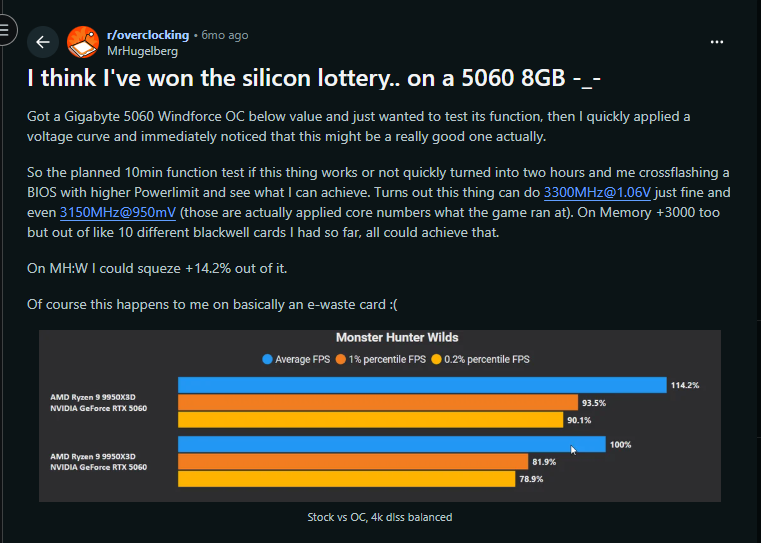
It’s not all bad news for the RTX 5060 lineup, though. Over on r/overclocking, user MrHugelberg had a much better run with the full-size Gigabyte RTX 5060 Windforce OC. By tweaking the voltage curve and BIOS power limits, they managed to push the core clock to 3300MHz at 1.06V—getting a solid +14.2% FPS boost in Monster Hunter Wilds. It just shows that while tiny cards might struggle with fan noise and heat, Nvidia's chip itself actually leaves plenty of room for overclocking.
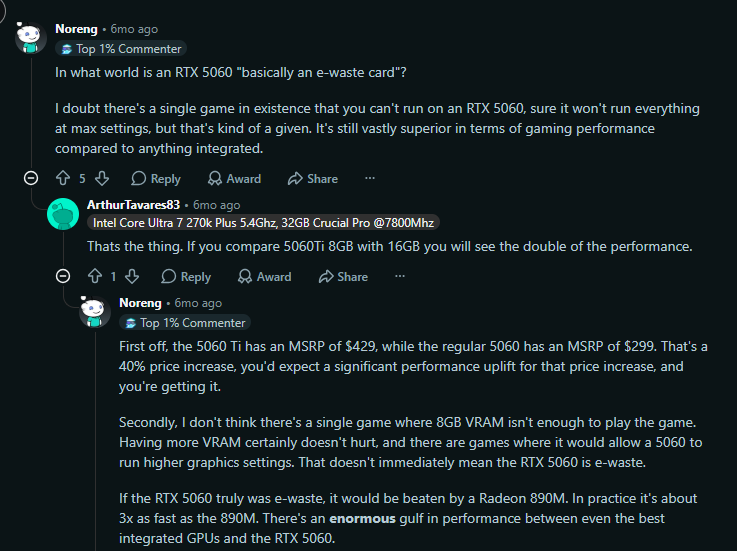
The post ignited a wider debate on whether an 8GB card is worth buying or simply "e-waste." Community members countered that at its $299 MSRP, the base RTX 5060 delivers solid value—delivering roughly triple the performance of top-tier integrated graphics. While 16GB models offer extra headroom for maxed-out texture packs, 8GB remains entirely playable for modern titles at 1080p.
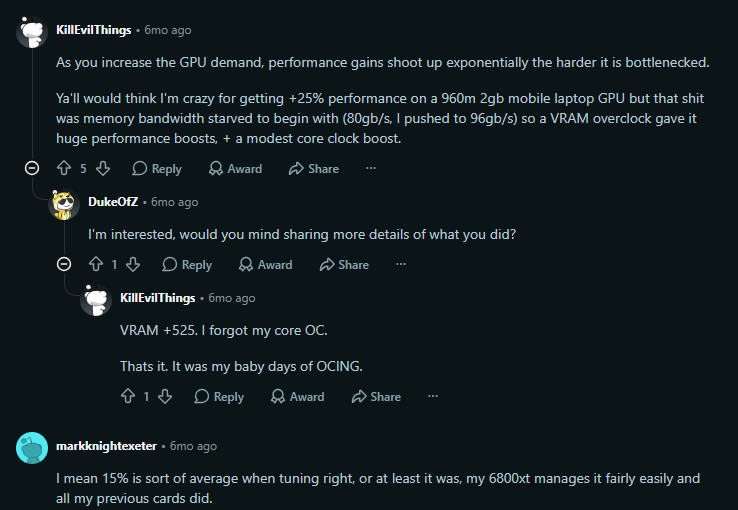
Enthusiasts also highlighted that memory tuning plays a crucial role in mitigating performance bottlenecks. By pushing memory clocks significantly, users can alleviate bandwidth constraints when the GPU core is bottlenecked, allowing the RTX 5060 8GB to punch above its weight class when properly optimized.
Conclusion
To wrap things up: just because two graphics cards perform a bit differently doesn't mean there's a massive manufacturing defect. Most cards leave the factory working exactly as intended. But let's be real—not every single card survives shipping perfectly, and sometimes you just get a bad unit or lose the 'silicon lottery.'
That being said, if you start seeing a bunch of gamers complaining about the exact same issue on a specific model, don't ignore it. It’s probably not a coincidence. Since different brands build their own custom coolers, PCBs, and power delivery systems around the exact same GPU chip, a bad design choice by the manufacturer can absolutely make or break the final product.
Frequently Asked Questions (FAQ)
Q1: What's the actual difference between NVIDIA and Gigabyte when it comes to the RTX 5060?
Here’s the deal: NVIDIA makes the actual (GPU chip itself—the true) 'brain' of the graphics card. Gigabyte takes that chip and builds the rest of the physical card around it. They’re the ones putting together the circuit board, slapping on the fans and heatsinks, and setting up the power delivery system to keep that brain running smoothly.
Q2: Why does Gigabyte make so many different versions of the exact same RTX 5060?
Honestly, it's because there's no such thing as a 'one-size-fits-all' graphics card. Gigabyte builds different models because PC builders have different priorities. Some versions get slapped with massive coolers and heavy factory overclocks to squeeze out every drop of performance, while others are shrunk down to fit perfectly inside tiny mini-ITX cases. And of course, you have the models built purely for looks, to match a specific aesthetic in your PC build.
Q3: What are the base specifications you can expect from an RTX 5060?
Across the board, the RTX 5060 features 8GB of next-gen GDDR7 memory on a 128-bit bus, 3,840 CUDA cores, and a baseline core clock of 2497 MHz. It's highly efficient, with Gigabyte recommending just a 550W power supply for the base model.
Q4: I’m building a small PC; should I buy the Gigabyte RTX 5060 Low Profile?
You might want to proceed with caution or look at alternatives. Small form factor builders have reported a widespread issue with a loud, high-pitched coil whine on this specific low-profile model that starts the moment the PC turns on, likely due to a flaw in the ultra-compact power delivery design.
Q5: Is 8GB of (VRAM) enough for modern gaming, or is it obsolete?
It is still highly capable. At its $299 price point, the 8GB RTX 5060 offers excellent value and easily handles modern titles at 1080p. While 16GB cards give you more headroom for extreme texture packs, the 5060 actually leaves plenty of room for manual overclocking to squeeze out even more performance.
Sources
- NVIDIA — GeForce RTX 5060 Specifications: Official NVIDIA GeForce RTX 5060 Page
- GIGABYTE — GeForce RTX 5060 WINDFORCE 8G: Official GIGABYTE Product Page
- Reddit — Gigabyte RTX 5060 Low Profile Coil Whine Discussion: r/sffpc Discussion
Disclaimer This article is completely independent and doesn't count as an ad, sponsored shoutout, paid promotion, or commercial endorsement for any company or product mentioned here. It’s written strictly for informational, educational, and analytical purposes when it comes to power infrastructure economics.