ASIC Mining Setup Guide 2026: Step-by-Step Hardware Deployment, Optimization & Troubleshooting
Setting up an ASIC isn't like building a gaming PC or plugging in a router. These machines operate as high-powered industrial heaters that brute-force hashes 24/7. Before you even unbox the unit, you need to respect the physics behind them—otherwise, you risk melted cables, overheated chips, or dead hashboards.
ASIC Mining Environment Setup: Power, Cooling & Noise
ASIC Noise Levels Explained: Why You Can’t Mine at Home
The Noise Factor: Expect a constant 75–80 dB scream. That’s the sound of high-RPM fans keeping the chips from melting. Do not put these in your living space. Basements, garages, or sound-insulated sheds are the only viable options.
ASIC Cooling Setup Guide: Cold Aisle vs Hot Aisle in 2026
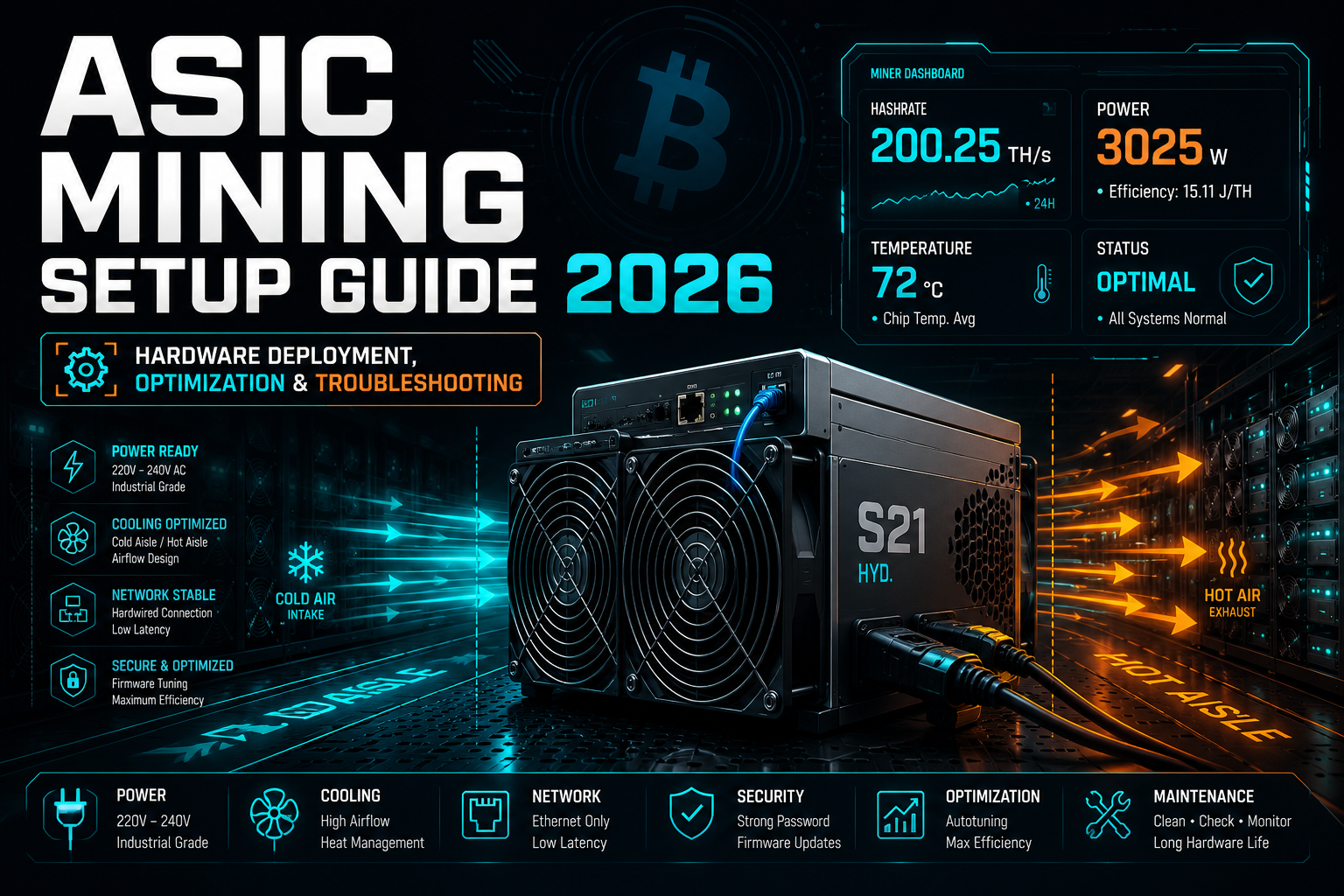
Thermal Management: In 2026, air-cooled units like the Antminer S21 or Whatsminer M60 series move a massive volume of air. You need a "Cold Aisle / Hot Aisle" setup. If your intake air is recycling the exhaust heat, your chips will throttle or shut down within minutes.
ASIC Power Requirements: Why 220V is Mandatory for Mining Rigs
The 220V Standard: Forget 110V outlets. Most modern ASICs pull 3,000W+. You need 220V–240V industrial-grade circuits and C19 power cables. Using standard household extensions is a guaranteed fire hazard.
ASIC Miner Setup: Physical Connection and Network Configuration
Once your environment is ready, it’s time to get the machine on the grid.
Hardwired Only: Don't even think about Wi-Fi. Every millisecond of latency (ping) increases your "Stale Share" rate. Use a high-quality shielded Ethernet cable directly to your switch or router.
Power Sequence: Plug the Ethernet in first, then the power. Watch the LEDs; you're looking for a rhythmic green flash. If you see a solid red "Fault" light, check your fans or internet connection immediately.
How to Find Your ASIC Miner IP Address (DHCP & Static Setup)
Your miner will ship with a DHCP-assigned IP address. You need to find it to access the control panel.
-
IP Reporter: If you’re using Bitmain gear, their "IP Reporter" tool is the fastest way. Press the button on the miner, and the IP pops up on your PC.
-
Network Scanners: For a multi-brand fleet, use Advanced IP Scanner. Look for hostnames like "Antminer" or "Whatsminer."
-
Static IP: Once you find it, I strongly recommend assigning a Static IP via your router. You don't want your miners changing addresses every time the power flickers.
ASIC Security Setup and Firmware Optimization (2026 Best Practices)
Navigate to the miner’s IP in your browser. The first thing you do is change the default password. Leaving it as "root" or "admin" is inviting a remote hijack.
Custom Firmware vs Stock Firmware: Braiins OS, Hiveon, and Autotuning
In 2026, Autotuning is king. If your hardware supports it, consider custom firmware like Braiins OS or Hiveon. These tools optimize the voltage for every individual chip on the board, allowing you to squeeze more TH/s out of the same power draw or lower your electricity bill during "High Diff" periods.
Check manufacturer documentation (2026 Reference Table)
| Manufacturer | Default Username | Default Password |
|---|---|---|
| Bitmain (Antminer) | admin | admin |
| Whatsminer | root / admin | admin / 123 |
| Canaan Avalon | admin | admin |
| Goldshell | admin | admin |
Stratum Configuration (Joining the Pool)
You can't solo mine Bitcoin in 2026; the math just doesn't work for individuals. You need a pool.
URL: Enter the Stratum V2 (if supported) or V1 address provided by your pool (e.g., SlushPool, AntPool, or Foundry).
Worker ID: Format this as WalletAddress.MinerName. This allows you to track individual machine performance on the pool’s dashboard.
Password: Most pools don't care about this—"123" or "x" is the standard.
ASIC Maintenance: Dust, Heat, and Hardware Longevity
An ASIC is a high-speed air filter. If you don't clean it, it will die.
The Monthly Blowout: Use an air compressor (not a vacuum). Hold the fans in place so they don't spin over-speed and kill the bearings, then blow out the fins of the hashboards.
Cable Check: Periodically feel your power connectors. If they feel hot or look discolored, replace the cable and check the PDU socket. Resistance builds up over time, and that leads to fires.
Troubleshooting ASIC Mining Issues (Dead Board, Errors & Overheating)
If your hashrate drops suddenly:
1: Check the Logs: Look for "Chain 0" or "Chain 1" errors.
2: Kernel Log: This is where the truth is. It will tell you if a fan failed, if the PSU is undervolting, or if a hashboard has lost its chips.
3: Temperature: If your chips are hitting 90°C+, your airflow is failing. Clean the unit or increase exhaust ventilation.
FAQ: ASIC Mining Setup, Optimization, and Troubleshooting (2026)
Q1: What is an ASIC miner and why is it used for crypto mining?
An ASIC miner (Application-Specific Integrated Circuit) is a specialized hardware device designed exclusively for cryptocurrency mining. Unlike GPUs or CPUs, ASIC miners are optimized for a specific algorithm, allowing them to achieve extremely high hash rates and energy efficiency, making them the preferred choice for mining coins like Bitcoin.
Q2: How much electricity does an ASIC miner use?
Most modern ASIC miners consume between 2,500 and 3,500 watts depending on the model and efficiency. Power consumption depends on the hash rate and firmware settings. Because of this high energy usage, miners must ensure stable electrical infrastructure and calculate electricity costs to determine mining profitability.
Q3: Do you need a mining pool to use an ASIC miner?
Yes, most miners join a mining pool because solo mining is extremely difficult due to network competition. Mining pools combine the computational power of multiple miners, increasing the chances of solving blocks and earning rewards that are distributed among participants based on contributed hash power.
Q4: How do you find the IP address of an ASIC miner?
You can find the IP address by accessing your router’s connected device list, using tools like Bitmain IP Reporter, or scanning the network with programs such as Advanced IP Scanner or Angry IP Scanner. Once located, the IP address allows access to the miner’s web-based admin dashboard.
Q5: What temperature is safe for an ASIC miner?
Most ASIC miners operate safely when chip temperatures remain between 60°C and 85°C. If temperatures exceed 85–90°C, the miner may throttle performance or shut down to prevent hardware damage. Proper airflow, ventilation, and regular cleaning are essential for maintaining safe operating temperatures.
Q6: Is custom firmware better for ASIC mining?
Custom firmware can improve performance and efficiency because it enables features such as autotuning, voltage optimization, and advanced monitoring. Popular options like Braiins OS or Hiveon firmware allow miners to increase hash rate or reduce power consumption depending on their optimization goals.
Q7: How often should ASIC miners be cleaned?
ASIC miners should typically be cleaned once per month to prevent dust accumulation on hashboards and fans. Dust buildup can reduce cooling efficiency and lead to overheating or hardware failures. Cleaning should be done using compressed air rather than vacuum cleaners to avoid damaging sensitive components.