Introduction
In 2026, securing your crypto is no longer just about putting your keys “offline.”
It’s about understanding exactly what you’re trusting — the device, the firmware, the way transactions are signed, and the attack surface you expose every time you interact with your wallet.
Because most compromises today don’t come from obvious hacks. They come from small blind spots — unclear signing screens, hidden firmware behavior, or connections you didn’t think mattered.
That’s where the Ellipal Titan 2.0 takes a very different approach.
Instead of adding more features, it removes things — no USB data transfer, no Bluetooth, no network connectivity at all. Everything is built around one idea: isolate the wallet completely and eliminate as many attack paths as possible.
But that kind of isolation comes with a trade-off.
Is maximum security always the right choice… or does it sometimes make real-world usage harder than it needs to be?
In this review, we’ll break down the Ellipal Titan 2.0 from a practical perspective — not just how it’s designed, but how it actually performs when security, usability, and long-term storage all collide.
If your goal is to keep your crypto completely offline and minimize attack surfaces, it delivers.
But if you move funds frequently, the extra steps may feel restrictive.
What Is Ellipal Titan 2.0? Full Overview of This Air-Gapped Hardware Wallet for Secure Crypto Storage
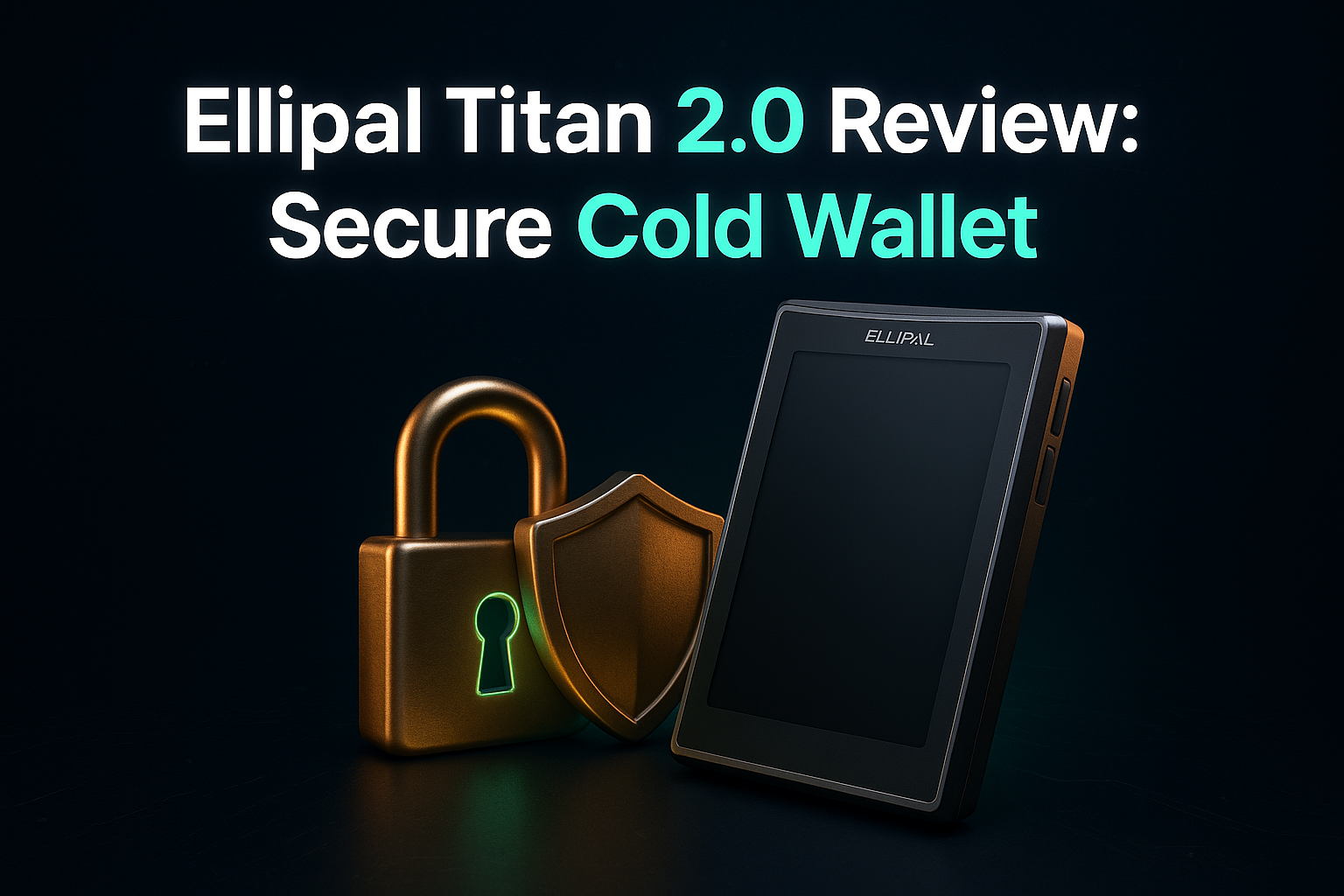
The Ellipal Titan 2 feels less like a gadget and more like a sealed vault for your private keys.
By staying completely air-gapped — with no WiFi, no Bluetooth, and no direct internet connection — it removes one of the biggest risks in crypto: remote access.
Everything happens on the device itself. Your keys never touch an online environment, and that alone changes the entire security model.
It’s physically durable, supports a wide range of assets, and is clearly built for one type of user: someone who prefers absolute isolation over everyday convenience.
How Ellipal Titan 2.0 Air-Gapped Architecture Works: Full Network Isolation Explained for Maximum Security
The Ellipal Titan 2 is basically a more refined version of the original Titan, but with one clear goal: keep everything completely isolated.
When people say “air-gapped,” they don’t just mean no internet — they mean no connection at all. No WiFi, no Bluetooth, no cables that can carry data. Just a device that stays on its own.
But real security isn’t just about removing connections.
It also depends on how the device is built from the inside. The hardware, the components, and the overall design all play a role in keeping that isolation solid over time.
That’s what makes this kind of wallet interesting — it’s not just disconnected, it’s designed to stay that way.
Ellipal Titan 2.0 Build Quality Review: Tamper Resistance, Metal Design, and Real-World Durability
When you hold the Ellipal Titan 2, it immediately feels solid. The metal body isn’t just for style — it gives you that sense that the device can handle everyday use without worrying too much about damage.
But what really matters is what happens if someone tries to mess with it.
If the device is physically tampered with, it automatically wipes all sensitive data. So even if someone gets their hands on it, they won’t be able to access anything.
And you’re not losing your crypto — as long as you’ve kept your recovery phrase safe, you can restore everything on another device without any problem.
Ellipal Titan 2.0 Security Breakdown: Secure Element Chip, Encryption, and Custom OS Explained
What really matters in the Ellipal Titan 2.0 isn’t just the idea of being “air-gapped” — it’s what’s happening inside the device.
At the center of it, there’s a secure element chip (CC EAL5+). In simple terms, this is the part that holds your private keys and keeps them locked away, even if someone tries to physically mess with the device.
Ellipal also doesn’t rely on a typical operating system. Instead, it uses a custom-built OS that’s designed only for one purpose: keeping your keys safe. Fewer features, fewer moving parts — which usually means fewer things that can go wrong.
And then there’s the screen.
The 4-inch display might seem like a small detail, but it actually makes a big difference. It lets you clearly see and verify every transaction before you approve it. That’s important, because a lot of real-world attacks don’t try to hack your device — they try to trick you.
So having everything visible, right in front of you, adds a layer of protection that people often underestimate.
Clear signing, full transaction visibility, and offline verification are often more important than raw hardware specs.
In that sense, the Titan 2.0’s design isn’t just about isolation — it’s about reducing human error.
Ellipal Titan 2.0 Advanced Security Features: Clear Signing, Decoy Accounts, and Real-World Protection
One thing most people don’t think about is what happens if someone forces you to unlock your wallet.
Not a hack — real-world pressure.
That’s where the Ellipal Titan 2.0 adds an extra layer most wallets don’t have.
It comes with something called an Alternate Pattern. In simple terms, you can set up a decoy account. If you ever find yourself in a situation where you’re forced to open the device, you can enter a different pattern or PIN — and it shows a completely separate wallet.
Your main funds stay hidden.
It’s a small feature on paper, but in real life, it changes how you think about security. Because protecting your crypto isn’t just about defending against hackers — sometimes, it’s about protecting yourself.
Ellipal Titan 2.0 Firmware Update Process: Offline MicroSD Security and Why It Matters
Updating a hardware wallet is one of those moments where security can quietly break — if you’re not careful.
Most devices rely on a direct connection to your computer or the internet to push updates. It’s convenient… but it also creates another possible entry point.
Ellipal takes a different route.
With the Titan 2.0, updates are done completely offline using a MicroSD card. You download the update yourself, move it to the card, and install it directly on the device — no cables, no live connection.
It’s a bit more manual, sure.
But that extra step means no one can push anything to your wallet remotely. And in security, that kind of control matters more than convenience.
Ellipal Titan 2.0 vs Ledger vs Trezor: Which Hardware Wallet Is More Secure in 2026?
| Feature | Ellipal Titan 2.0 | Ledger | Trezor |
|---|---|---|---|
| Connectivity | Fully Air-Gapped | Bluetooth / USB | USB |
| Security Focus | Maximum Isolation | Balanced | Transparency |
| Firmware | Closed Source | Closed Source | Open Source |
| Ease of Use | Medium | High | Medium |
Real-World Usage: QR Code Signing, Bitcoin Fees, and Daily Operation
Active traders will find QR-based signing offers better security than USB, though it can become tedious with frequent use. The QR code is an open protocol, visible on GitHub, promoting transparency, although the actual device firmware remains closed source.
Manual fee adjustments give you control over Bitcoin transactions, making sure they’re timely.
Ellipal Titan 2.0 Specifications and Security Features (2026): Full Technical Breakdown
| Ellipal Titan 2.0 – Technical Specifications (2026) | |
|---|---|
| Security Model | Fully Air-Gapped (No WiFi, No Bluetooth, No USB Data) |
| Transaction Method | QR Code Offline Signing |
| Secure Element | CC EAL5+ Certified Secure Element Chip |
| Operating System | Custom Secure OS |
| Display | 4-inch IPS Touchscreen |
| Body Material | Aluminum Alloy (Tamper-Resistant) |
| Tamper Protection | Auto Data Wipe (Self-Destruct Mechanism) |
| Firmware Update | Offline via MicroSD Card |
| Firmware Transparency | Closed Source Firmware |
| Price (2026) | $169 |
Final Verdict: Is Ellipal Titan 2.0 Worth It for Long-Term Crypto Storage in 2026?
The Ellipal Titan 2.0 isn’t trying to be the most convenient wallet on the market — and that’s exactly the point.
It removes connections. It removes shortcuts. It removes entire categories of risk that most wallets still leave open. And for long-term holders, that kind of isolation can make a real difference.
But security doesn’t exist in a vacuum.
Every layer of protection you add comes with a trade-off — slower workflows, less flexibility, and a system that asks you to adapt to it, not the other way around.
So the real question isn’t whether the Ellipal Titan 2.0 is “secure enough.”
It’s this:
Do you value maximum isolation… more than everyday convenience?
If your goal is to store assets long-term, minimize exposure, and reduce reliance on connected systems, the Titan 2.0 makes a strong case.
But if you interact with your crypto frequently, move funds often, or rely on speed and flexibility — you may start to feel the friction.
Because in the end, the safest wallet isn’t just the one with the most protection — it’s the one you can use correctly… every single time.
Frequently Asked Questions:
Q1: If the Ellipal Titan 2.0 has no Bluetooth or USB, how does it actually talk to my phone?
It uses QR codes. Think of it like a visual handshake. When you want to send a transaction, your phone app generates a QR code, you scan it with the Titan’s camera to sign it offline, and then the Titan shows a "signed" QR code for your phone to scan back. No data ever travels through a wire or a wireless signal, keeping your private keys 100% isolated.
Q2: What happens if the "Self-Destruct" mechanism triggers by mistake?
Don't panic—your crypto isn't "on" the device; it’s on the blockchain. The self-destruct feature simply wipes the private keys from the hardware if it detects someone trying to pry the case open. As long as you have your 24-word recovery seed phrase written down safely on paper or metal, you can recover your entire wallet on a new device or any compatible software wallet.
Q3: Is the Ellipal Titan 2.0 better than a Ledger or Trezor?
It depends on your priority. If you want maximum physical isolation, the Titan 2.0 wins because it lacks the "backdoors" that Bluetooth or USB connections might theoretically open. However, if you are a daily trader who needs to move funds every hour, a Ledger might feel faster. The Titan is the "Fort Knox" approach—slightly slower to use, but much harder to penetrate.
Q4: Since the firmware is "Closed Source," can we trust it?
This is a common debate in the crypto community. Unlike Trezor (which is open-source), Ellipal’s internal code isn't fully public. However, they mitigate this risk by using an air-gapped model. Since the device never connects to the internet, even if there were a bug in the code, there is no "path" for a hacker to extract your data remotely.
Q5: How do I update the firmware without a computer connection?
Updates are handled via a MicroSD card. You download the update file on your computer, move it to the card, and insert it into the Titan. The device then verifies the file’s integrity before installing. It’s a manual process, but it ensures that a malicious software update can’t be "pushed" to your device over the web.